


Home ||| Art ||| Programming
Modding
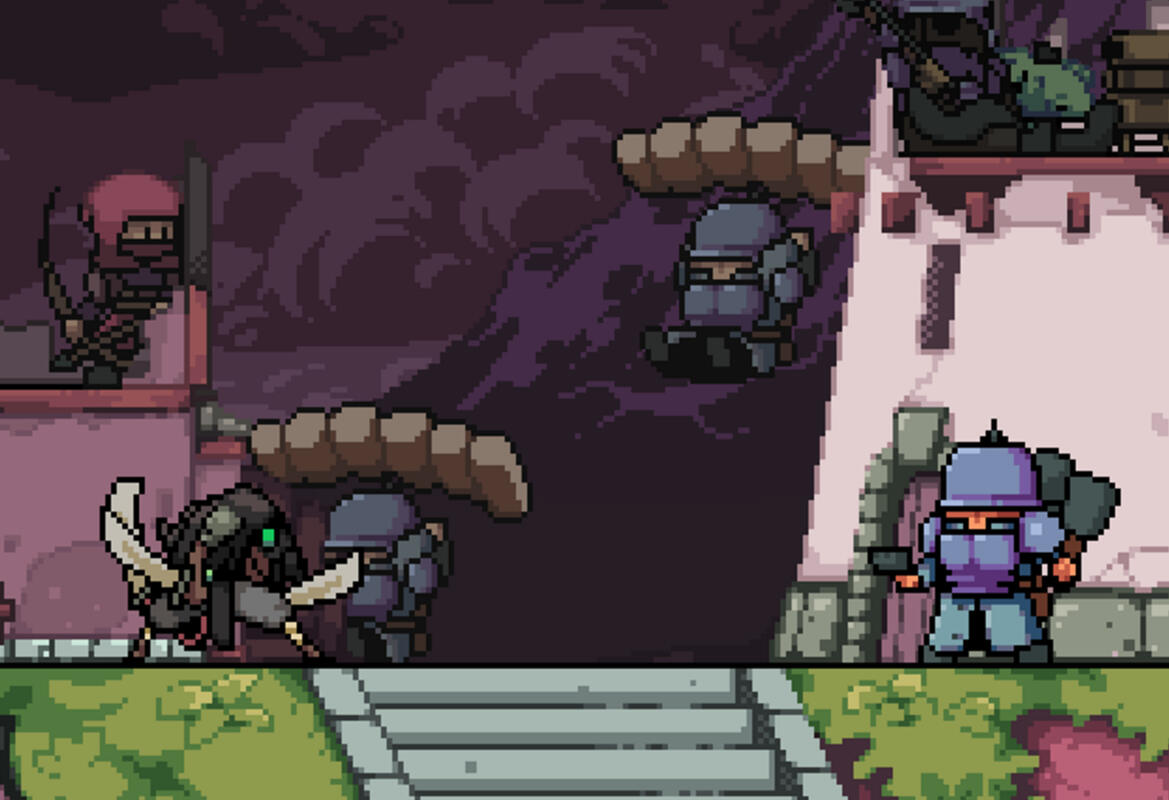
This downloadable content was created as a means to showcase multiple disciplines: Programming, Art, Animation and Game Design.
Home ||| Art ||| Programming
Raster to Vector
Introduction
I created this project while working at a data company. While I was there, it became necessary to come up with a way to convert the raster files we were downloading into vector files for use in QGIS, which is a program for displaying geographical data.
The Problem
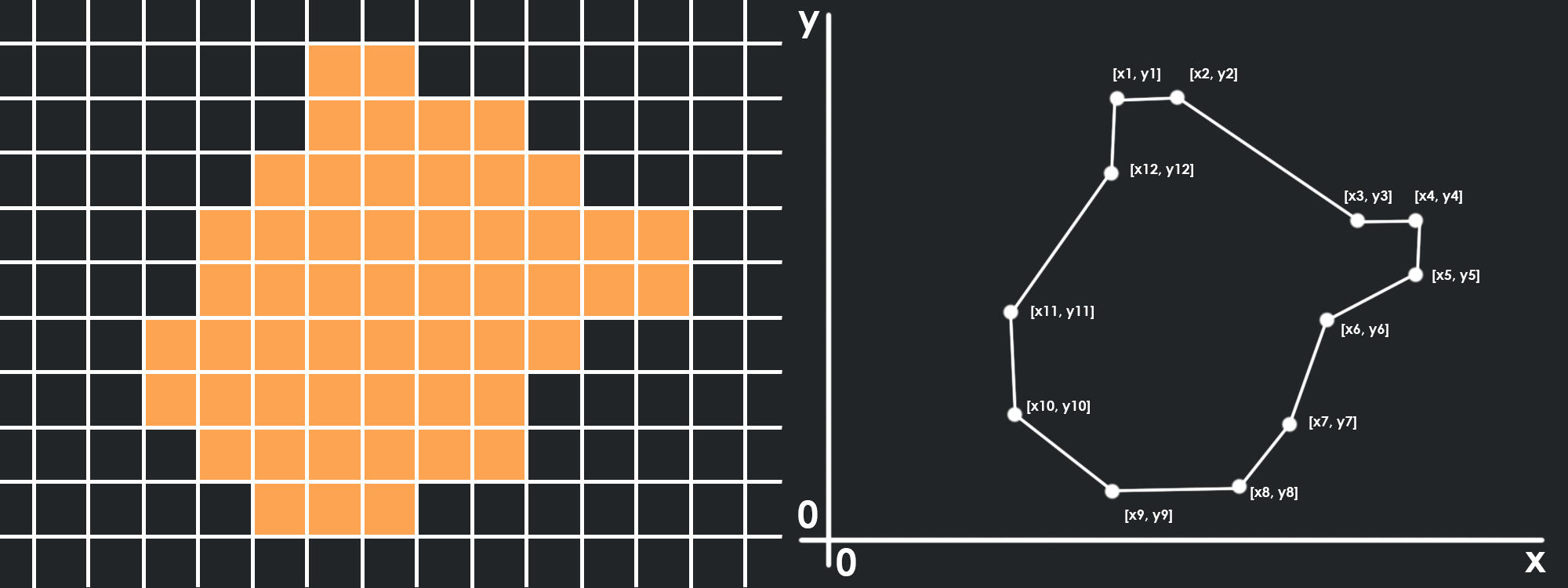
Raster data takes the form of a grid, with each cell containing a value. Vector data is usually much smaller, in this case it is just a list of X,Y coordinates that can be connected by a line to form a shape. The hardest part of the conversion from raster to vector is determining the order of the coordinates, as they must be ordered from start to finish in order to connect them correctly.
The Solution
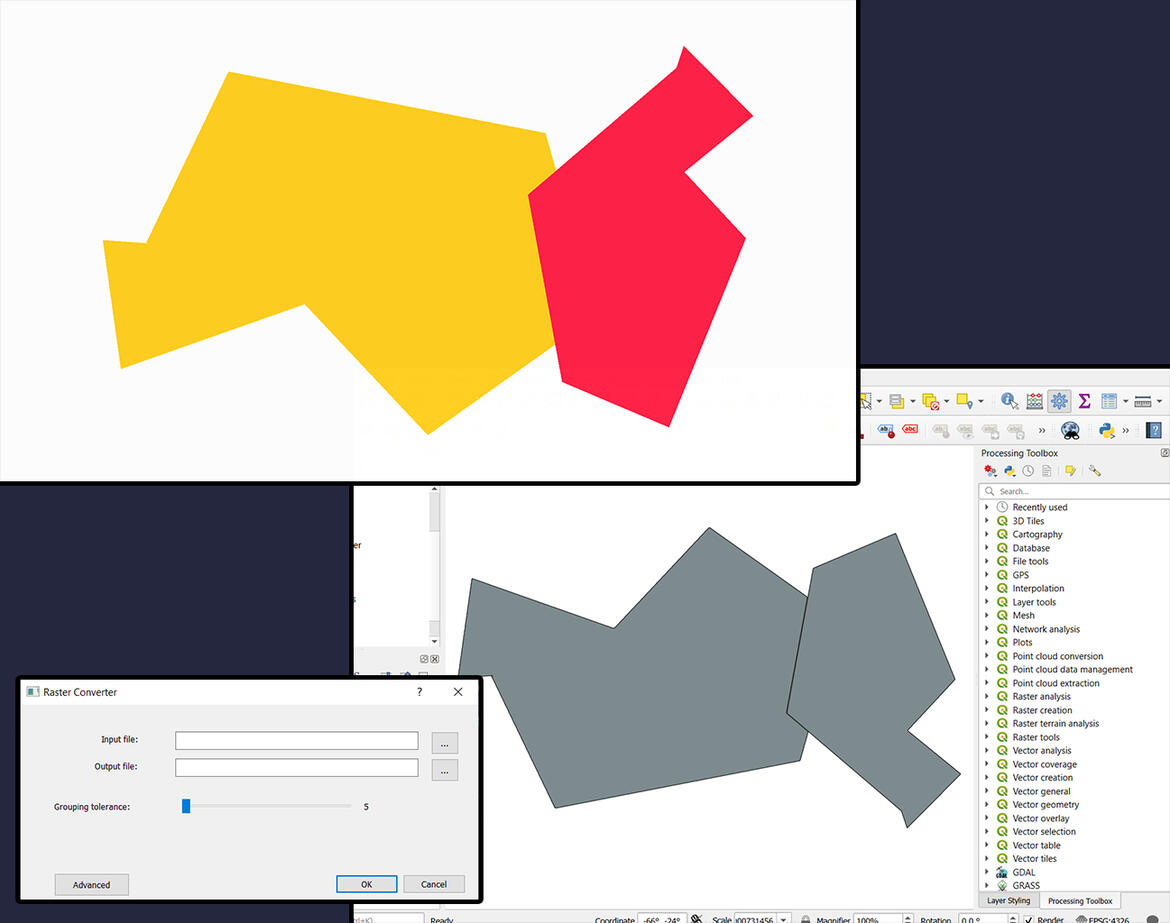
At the time, I didn't know much about graphics programming and I came up with a CPU bound solution. First, the image is scanned line by line, and each line is divided into segments depending on the colour of each pixel, like so:
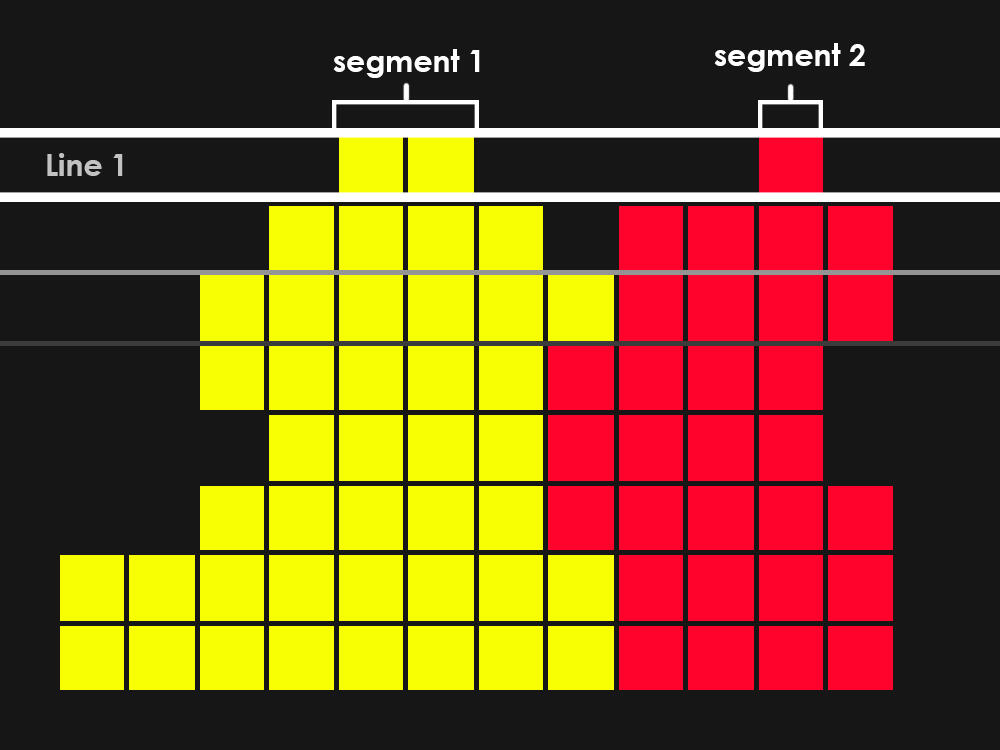
Then, for each colour, we create an index for a list of shape objects. Starting with the first line from our raster image, create shapes for each segment found and put those shapes in their corresponding index.For each subsequent line, we compare the segments in the line to the shapes we are building. Each shape keeps track of the last segment added. If the segment we are comparing connects to the last segment added in any of the shapes, we add that segment to the shape. In this way, we build each shape line by line.
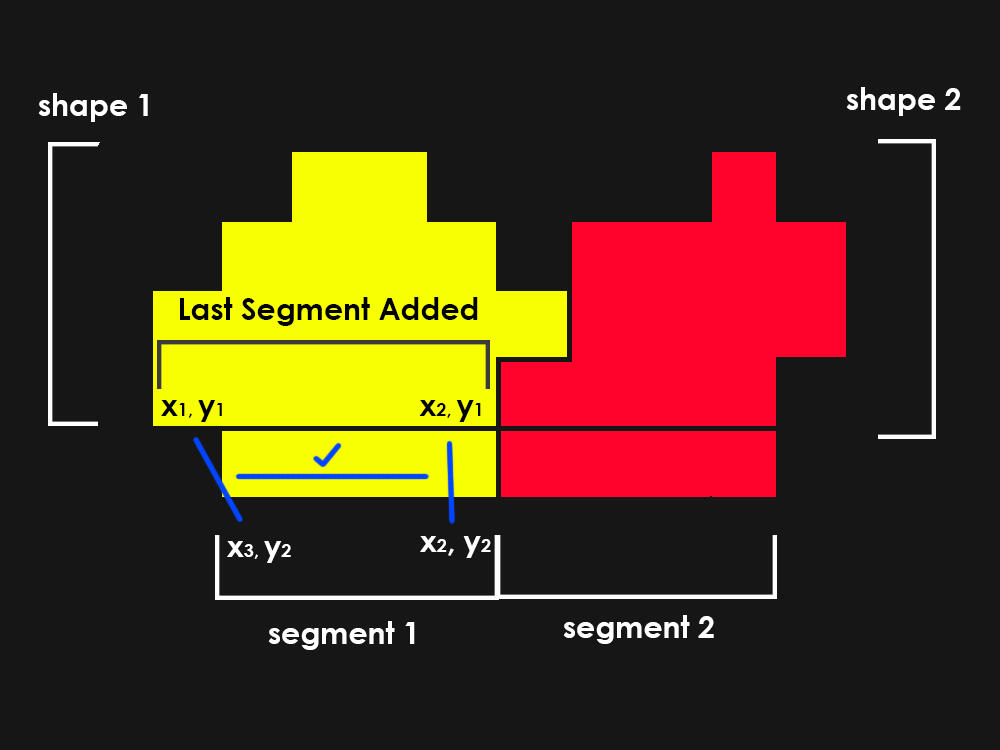
As we build each shape, we keep track of the coordinates of each segment. Each segment consists of a pair of X, Y coordinates (x1, y1, x2, y1. y is always the same since it is on the same line).A shape can be described as an equal number of coordinate lists. This means that we can trace a line up and down a shape, keeping track of the coordinates along the way:
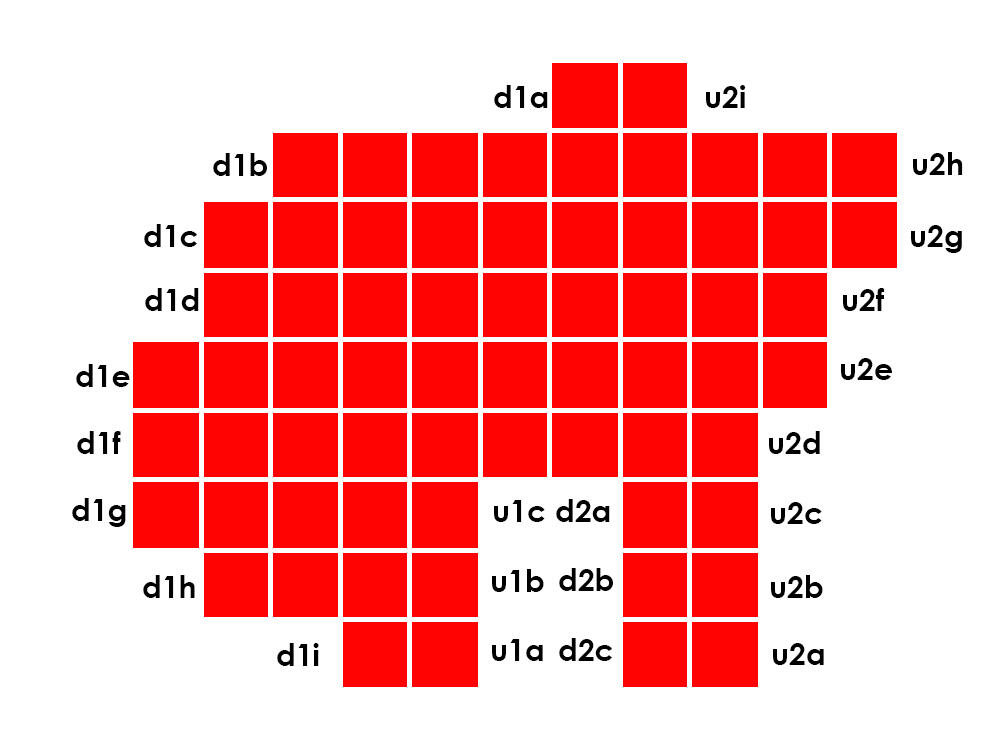
This means for every “down” list, there is an “up” list as well. Each shape in our collection has a list of these down and up lists. When we add a segment to a shape, we add the left coordinate of the segment to the down list, and the right coordinate to the up list. In doing so, we keep track of the order of coordinates to pass to the function to make our vector shape.Once every line has been read, parsed and sorted into shapes, we simply build a string of coordinates for each shape, starting at the top of its first down list and ending at the top of its last up list.
Edge Cases
As we add segments, we need to deal with certain cases that happen when a segment does not connect to just one segment above it. If a segment does not connect to anything, we start a new shape.If a segment connects to two other segments, it is either a merge or a loop. In the case of a merge, the segment has connected to two or more shapes. These shapes need to be merged together and their lists combined.
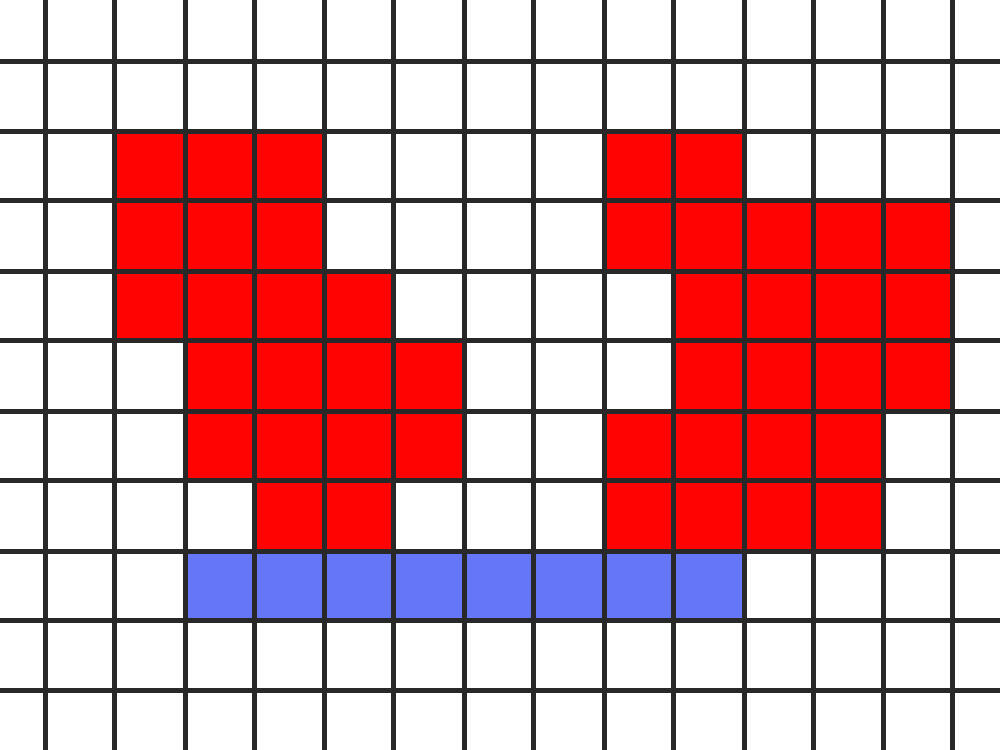
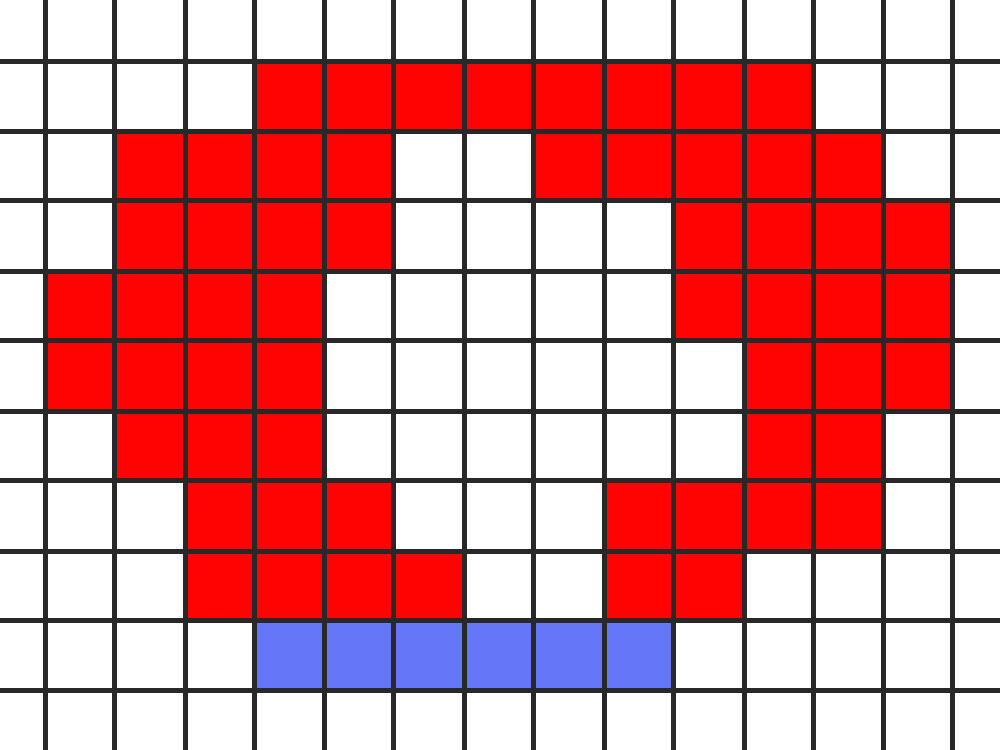
In the case of a segment connecting to two or more segments that belong to the same shape, a loop is created. The shape has a shape within it or a hole, and the inner edges of the loop become disconnected and form their own shape.
Home ||| Pixel Art ||| Programming
Octree Boids
Introduction
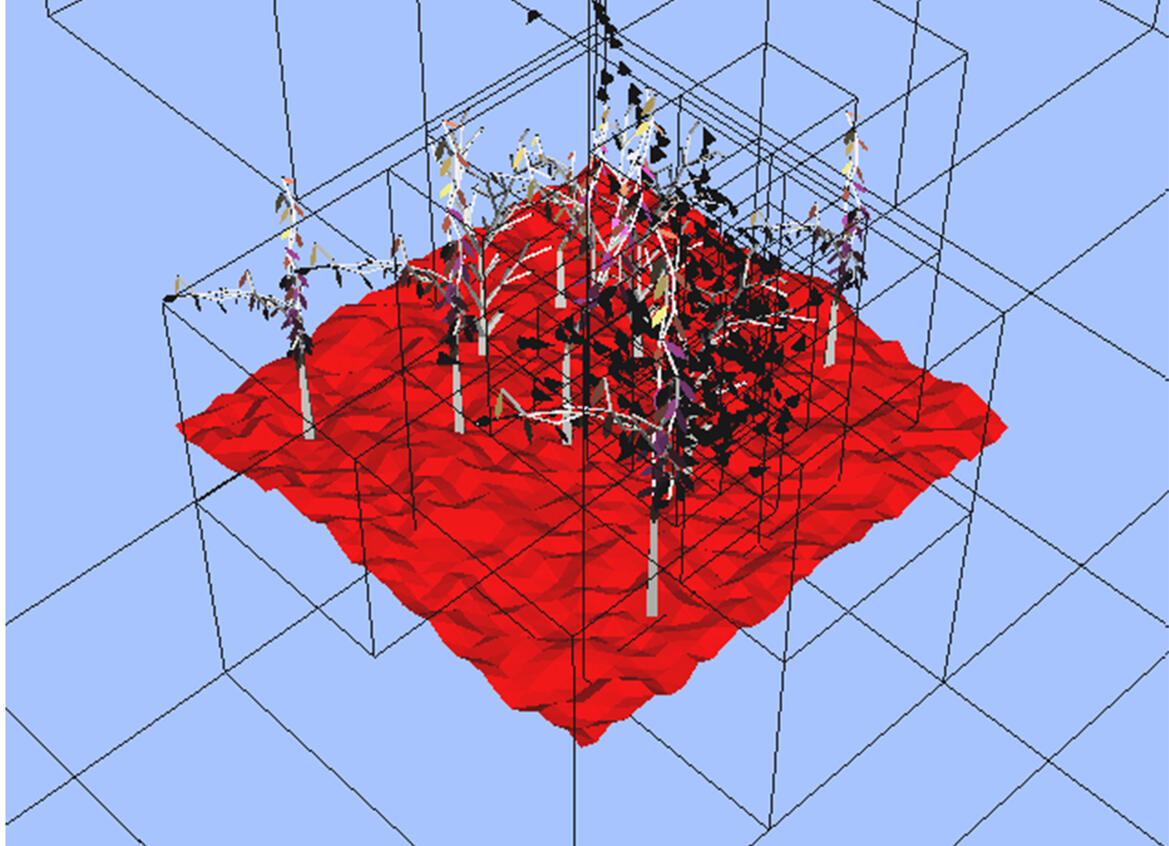
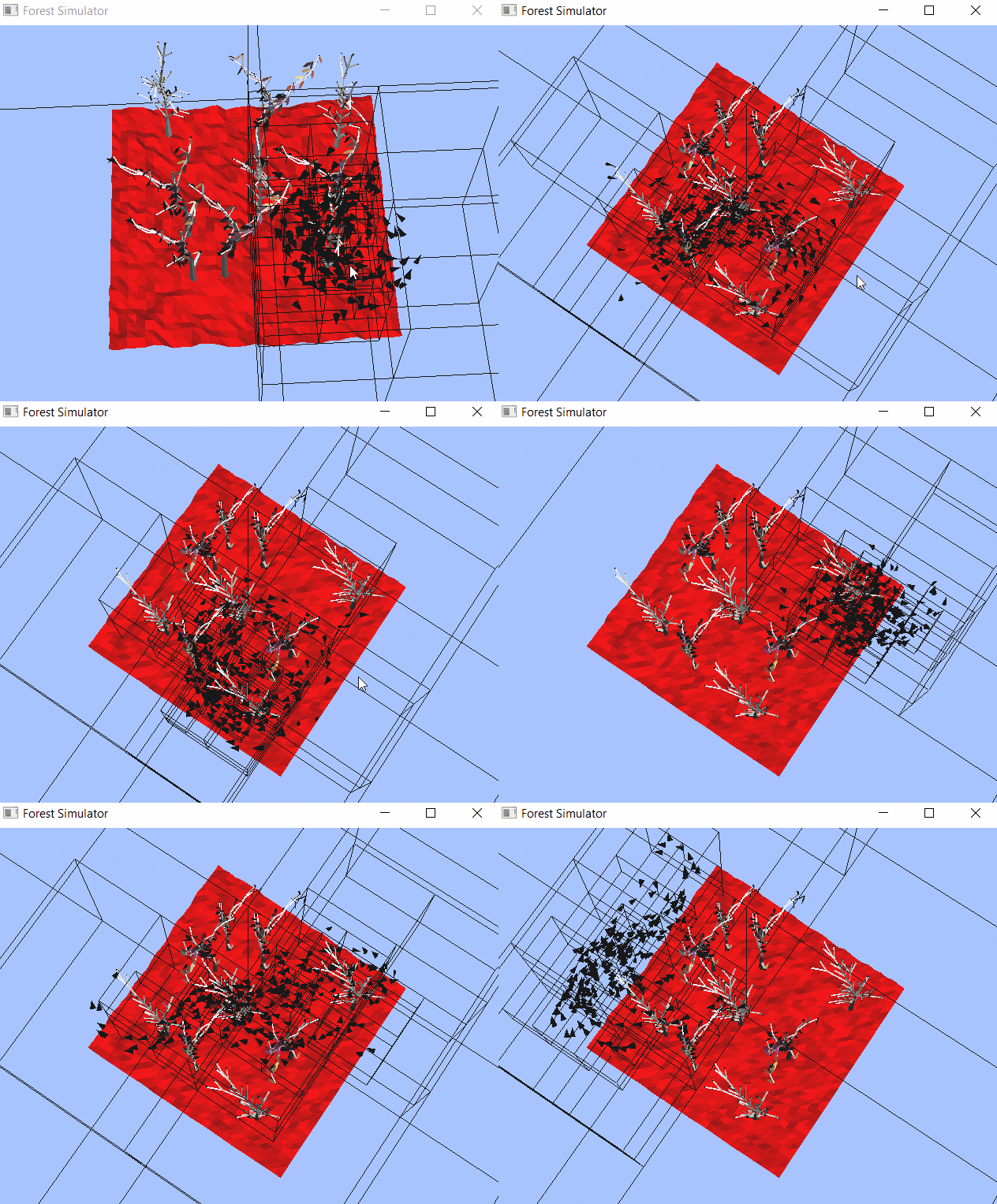
This project was done in my final year of university as a joint project between myself and Sam Costigan. The forest geometry was made by Sam, while I combined a flocking algorithm with an octree collision algorithm to optimize the calculation between the boids. The project is written in C++ and the graphics are made with the OpenGL library.
Flocking
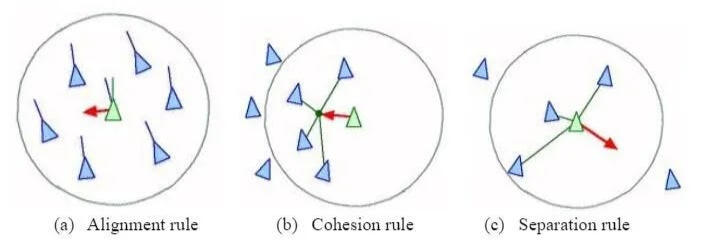
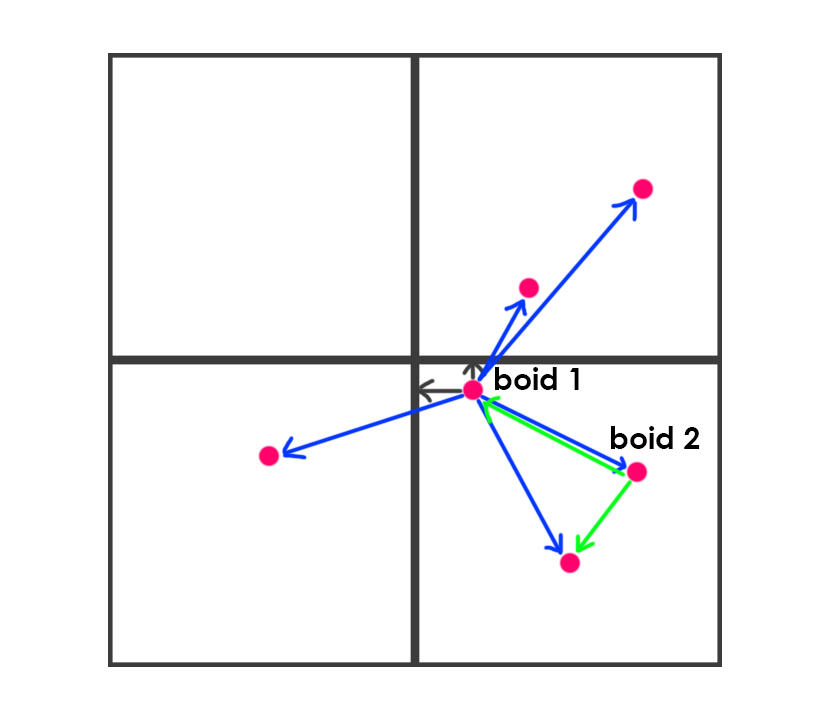
This is a common algorithm that mimics the behviour of birds. The basic premise is to give boids (which are represented by the triangles) the ability to detect other boids in the area, and then have them maintain cohesion, alignment and separation.
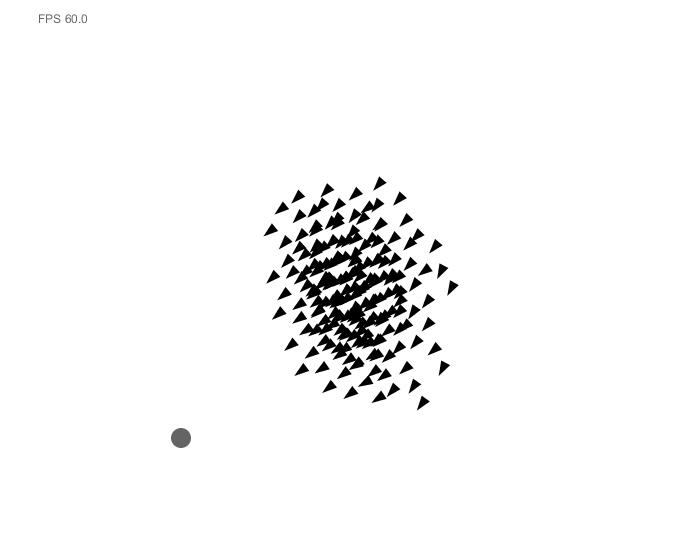
When doing so, the initial implementation looks like this:
I modified the algorithm to have a tree like structure. The boids now only try to maintain cohesion and alignment with the boids that are above them in the tree, with a single boid as the leader.
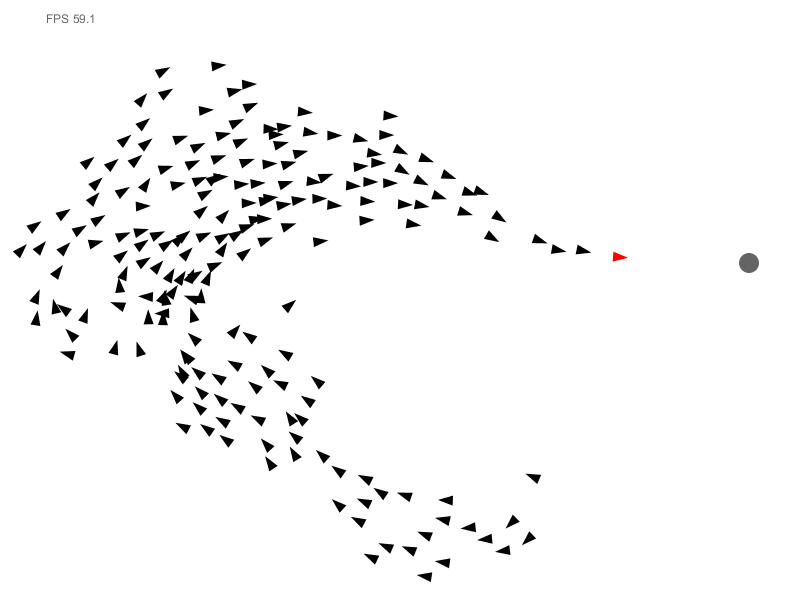
The boids still all reference each other when checking for separation, creating an (On2) algorithm. For each boid that is added, the total number of boids must be looped over again to check for distance.
Oct-tree
This is where I combine this algorithm with another algorithm that is often used in collision checking. The simulation area is divided into 8 cubes. Each cube tracks how many boids are in it. If the cube contains above a predetermined number of boids (4 in this case), the cube is subdivided into 8 more cubes. These cubes become the child nodes of the cube surrounding it.
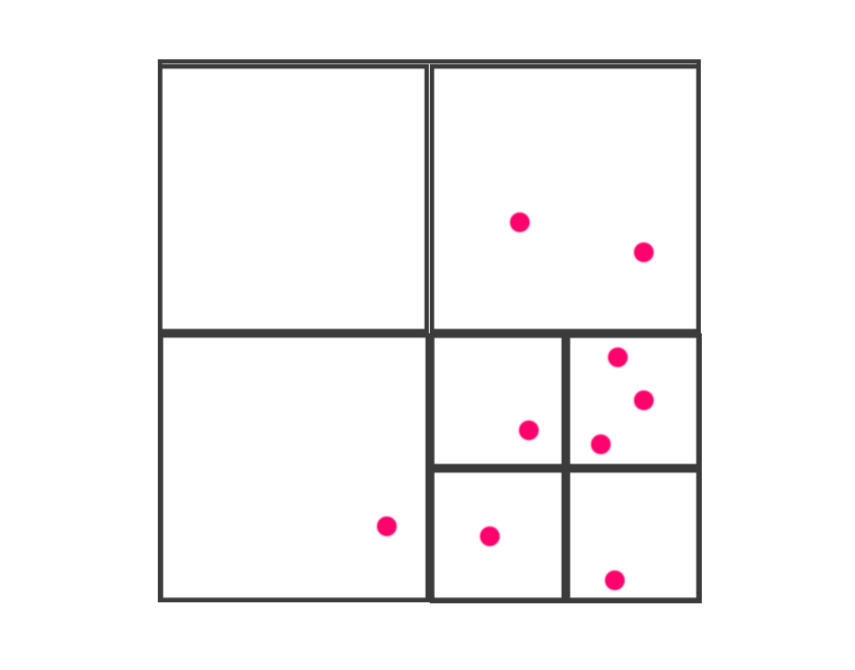
Once all the boids have been sorted into their respective nodes, or the node size has reached its limit, the boids only have to check the distance to the sides of the cube they are in, or the other boids in the cube. If it is closer to the side, it has to check the boids in the neighboring nodes, but otherwise it just has to check the boids in its own node.
Home ||| Pixel Art ||| Programming
Solvix
Introduction
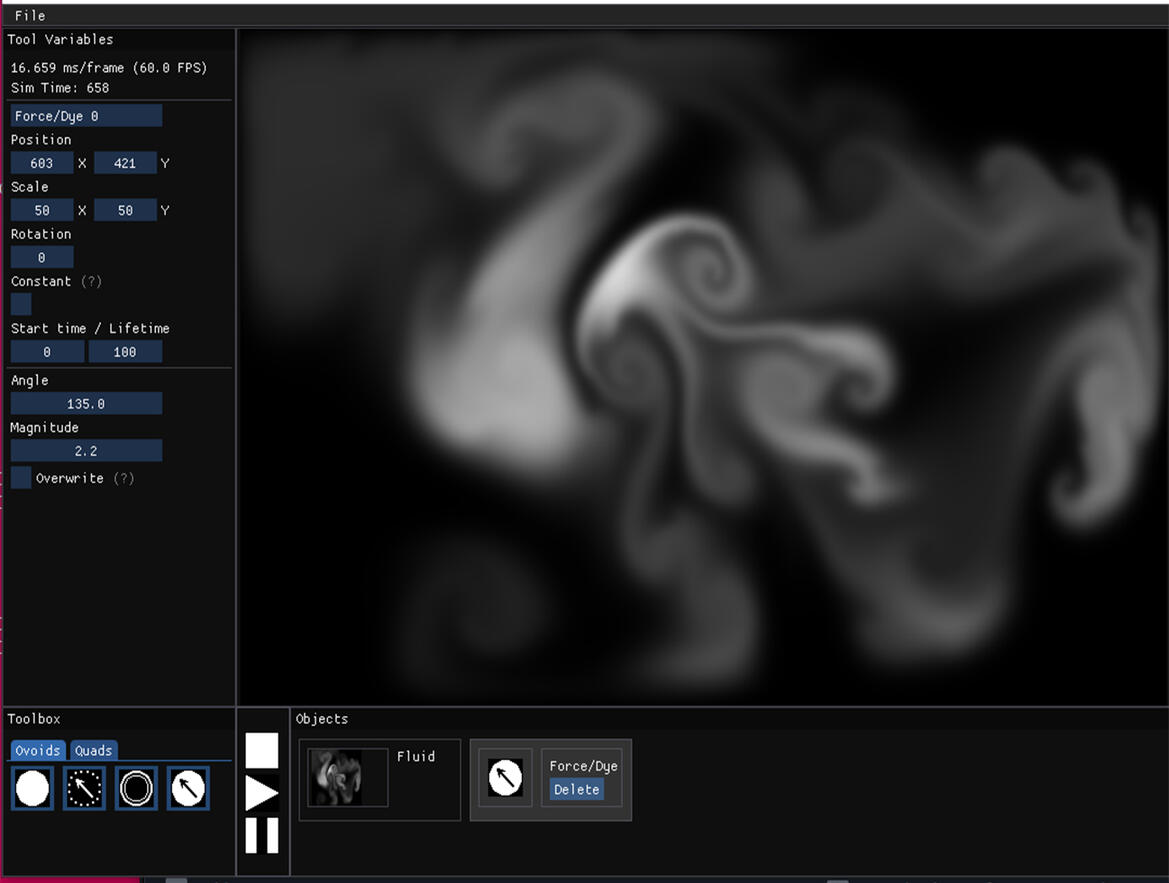
Solvix is a tool for simulating 2d fluid dynamics. This tool is a personal project I created to help with improving my knowledge in C++ and graphics programming, as well as provide a convenient way of simulating certain types of animation that are otherwise tedious to do.
Fluid Dynamics
Most GPU fluid simulations like dye, smoke, gas, etc. are driven on implementations of the Navier-Stokes fluid equation. This equation dictates that the fluid field must go through several steps to simulate fluids:
1. Pressure: As forces propagate, they create acceleration in areas of the field they push on
2. Advection: The values in the field must be carried along the force vectors present at their point in the field.
3. Diffusion: Values in the field will bleed into their surroundings, according to the viscosity of the field.
4. External Forces: We must add an injection of values into the field to stimulate it and watch it evolve over time.
Implementation
We do this incrementally to see the fluid move over time. We use a 2D array to hold our values and represent the fluid field. The row and column index of each cell is the X, Y value of the cell. This array is used as a texture (a texture is an array of N dimensions, 2 in this case) for the GPU to work with. In my solution, we have a separate texture to hold the velocity of each cell and the amount of dye in each cell.We do each step in reverse order due to matrix mathematics, with the pressure (step1) after both advection and diffusion in order to clear divergence problems within the field. We start by adding forces that we want to inject into the field
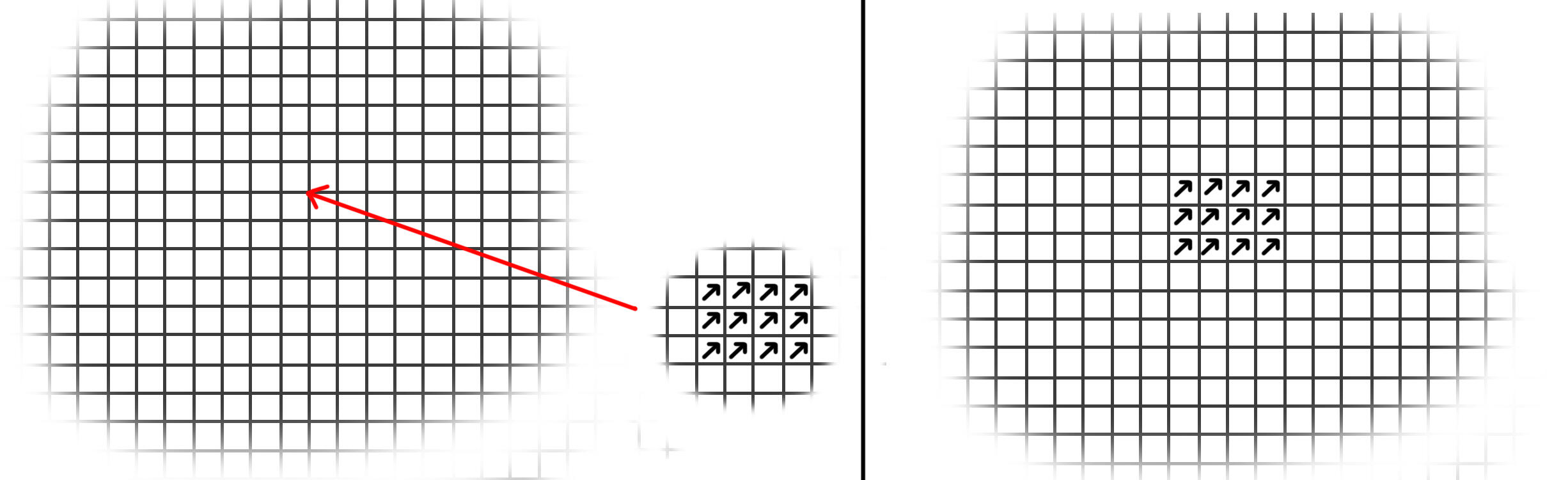
Next we move onto diffusion. Each cell receives value from the surrounding cells, including negative values from surrounding cells that have less value. The amount of value received depends on the rate of diffusion/the viscosity of the field.
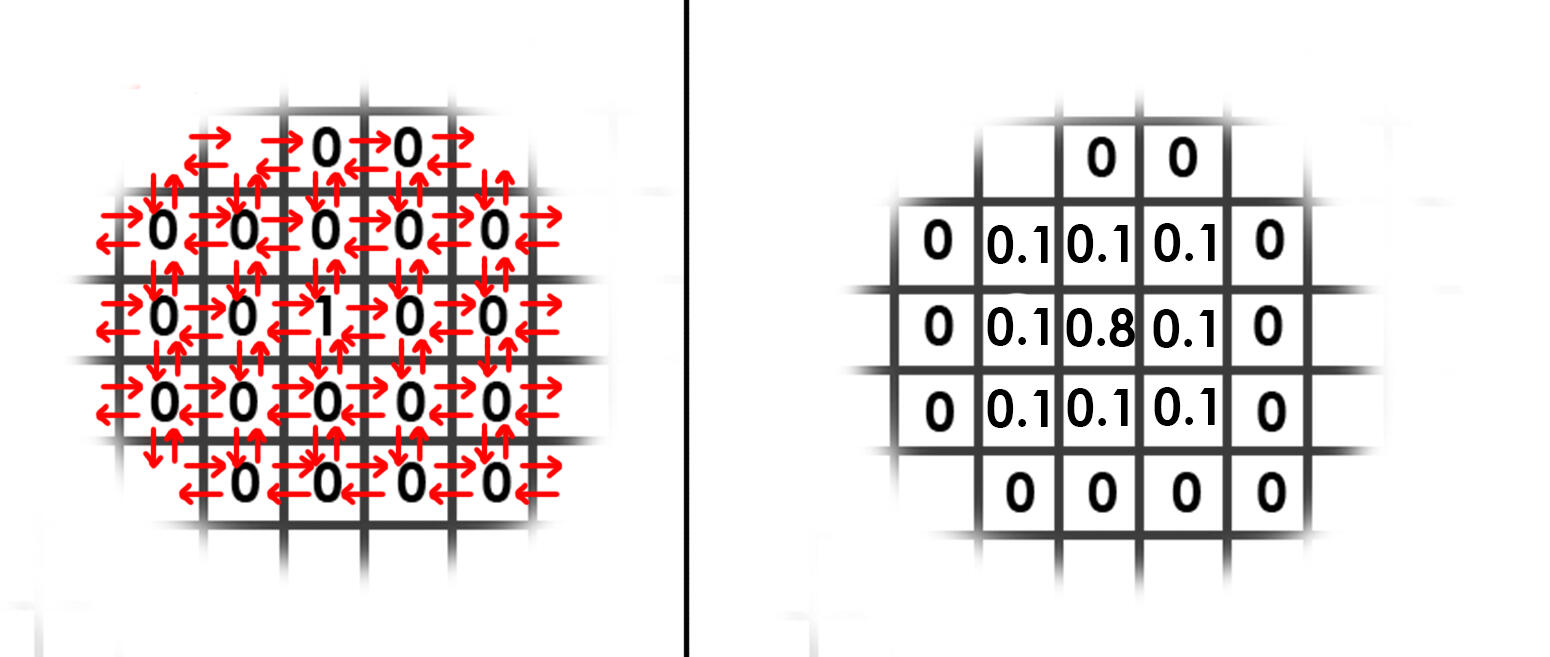
For advection, we need to take the velocity of the same cell in the previous increment and trace it backwards. From this position, we need to get the value of the cells surrounding this point and interpolate the average, then write that value to our current cell.
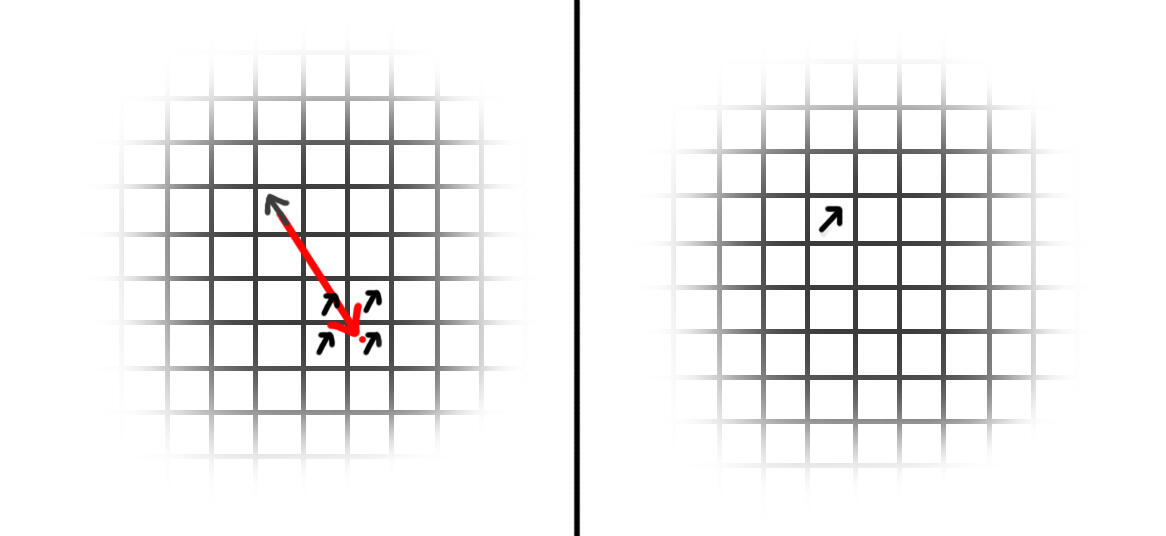
When we make changes to the field with diffusion and advection, we need to make sure that the incompressibility of the fluid is maintained. For instance, if a cell is surrounded by inward forces, those forces cannot have their values consumed by the cell and their components must be evenly distributed. Similarly a cell surrounded by outward forces cannot distribute more than the sum of its value.
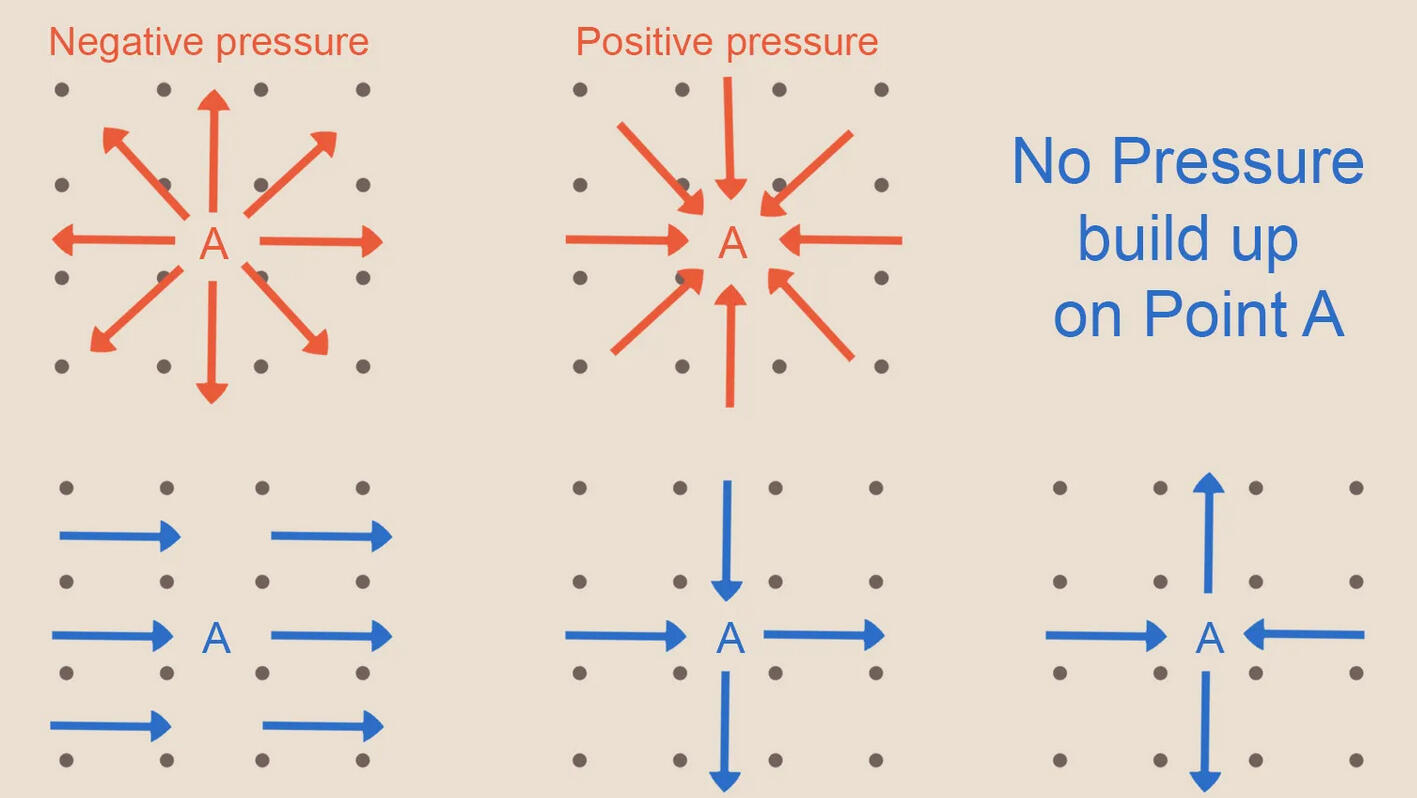
In order to remove this imbalance, we need to subtract the divergence from our velocity field to arrive at a divergence – free velocity field. The divergence of a cell is the amount by which it is out of balance. It can be calculated using this method:
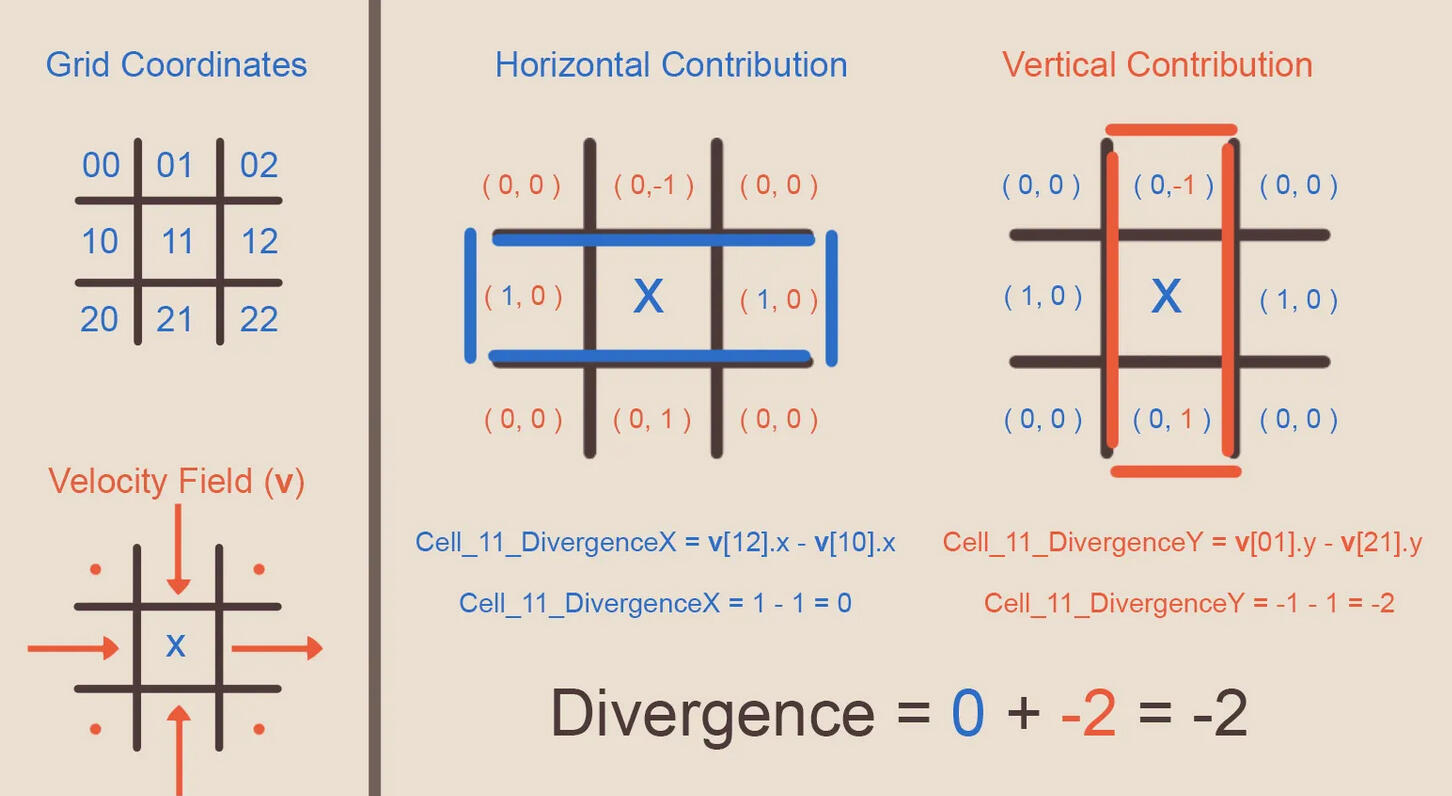
The field of divergence is equal to the field of the pressure across the current velocity field. For each cell this equation can be written as:
(p[Left] + p[Right] + p[Up] + p[Down])- 4 * p[Center] = divergence(velocity)
Since P is unknown, we have to solve for every cell in the field at once as a system of simultaneous equations. For efficiency, we use a Jacobi method to solve this. First we rearrange the equation to have P(center) on one side:
p[Center] = (p[Left] + p[Right] + p[Up] + p[Down] – divergence(velocity))/4
Then we find our divergence(velocity) for the last field using the operation in the last image. Now, starting from 0, we repeat this operation enough times to get an accurate answer, i.e: 20. Each time we replace P(center) with the answer we got from the last iteration. At the beginning of the process, P for the left, right, up and down cells will also be 0, but will change over time according to the cells surrounding them, and so on. Eventually, all cells will converge in on the right answer.Now that P has been found, all we have to do is subtract the divergence of P from the current velocity field:
divergence-free Vx = Vx – (p[right] – p[left])
divergence-free Vy = Vy – (p[up] – p[down])
And we get our final velocity field free of divergence. We should do the projecttion step once after diffusion and once after advection to get the most accurate simulation, although in my solution I only do it once after advection and it seems to work fine. We only need to do this step for the velocity field, as the dye field can just store dye as a number as high as it needs to go, until it is distributed later.
Other Additions:
If we add a simple mono-directional force and some dye on top to our simulation, the result can look quite uniform:
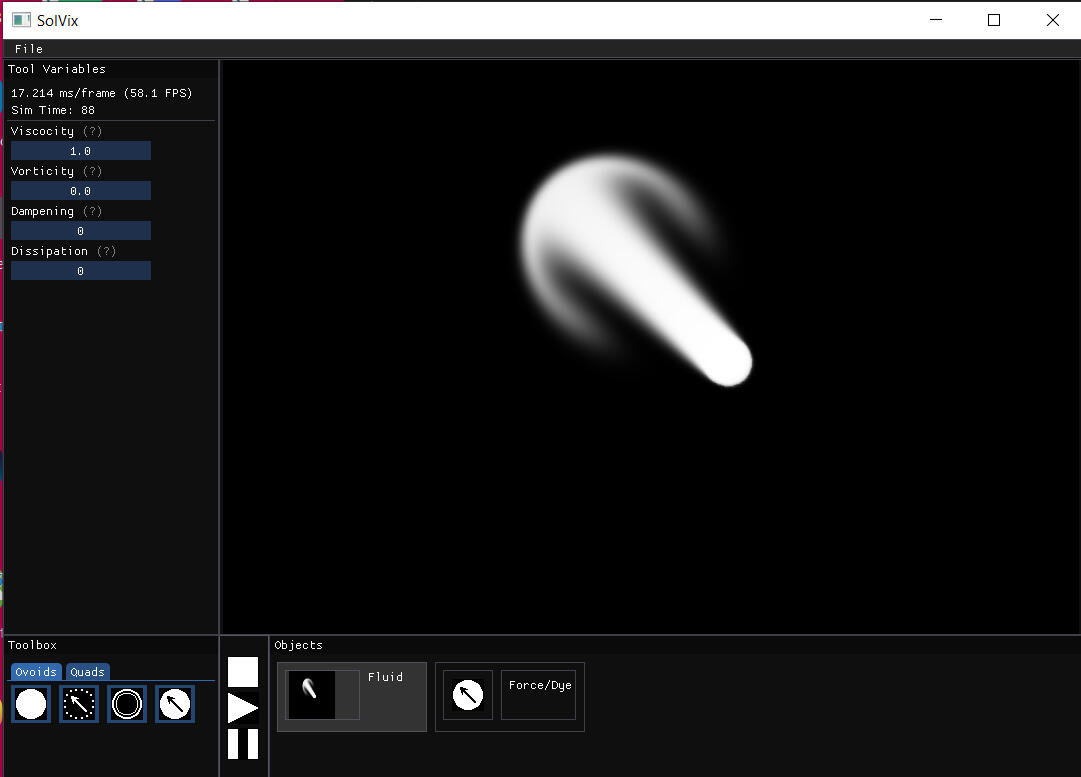
In order to add some aesthetic interest, we can add vorticity:
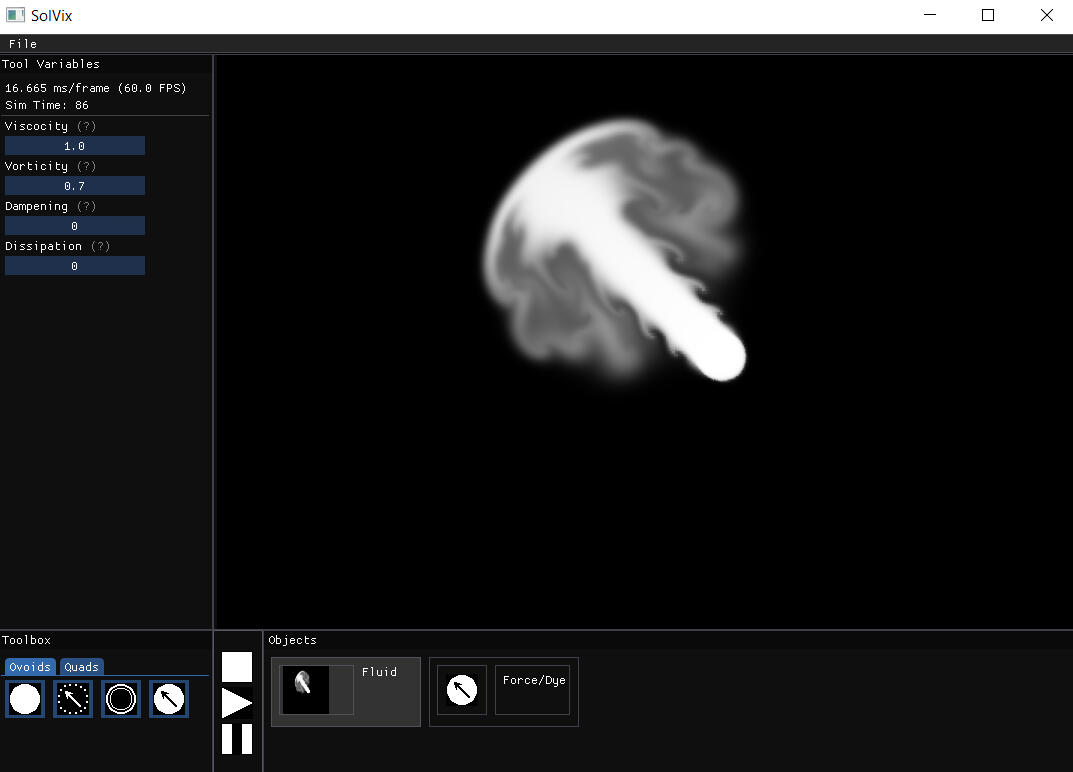
We do this by taking advantage of the divergence of the field to find local areas of curling, and then boosting those the vectors in those areas to exaggerate the curls. Since we need to use divergence, we do this step after the diffusion step, before we clear the divergence.First we find the divergence of each cell, like before. We then save this value into a texture to create a divergence field. Then in our original velocity field, we can find the divergence numbers arround each cell and use them to modifiy the velocity in the cell, using this method:
dx:=abs(curl(x + 0, y - 1)) - abs(curl(x + 0, y + 1));
 dy:=abs(curl(x + 1, y + 0)) - abs(curl(x - 1, y + 0));
 len:=sqrt(sqr(dx)+sqr(dy))+1e-5;
 dx:=vorticity/len*dx;
 dy:=vorticity/len*dy;
 xvelocity[x,y]:=xvelocity[x,y]+timestep*curl(x,y)*dx);
 yvelocity[x,y]:=yvelocity[x,y]+timestep*curl(x,y)*dy);
Finally, I made this project with usability in mind. The imgui library is a common developer UI and I used it here to add controls to the simulation. I also used a library called gif-h to export simulations as a .gif recording for use in other programs to trace over. You can watch the video at the top of the page for a full explanation of the controls.
Introduction
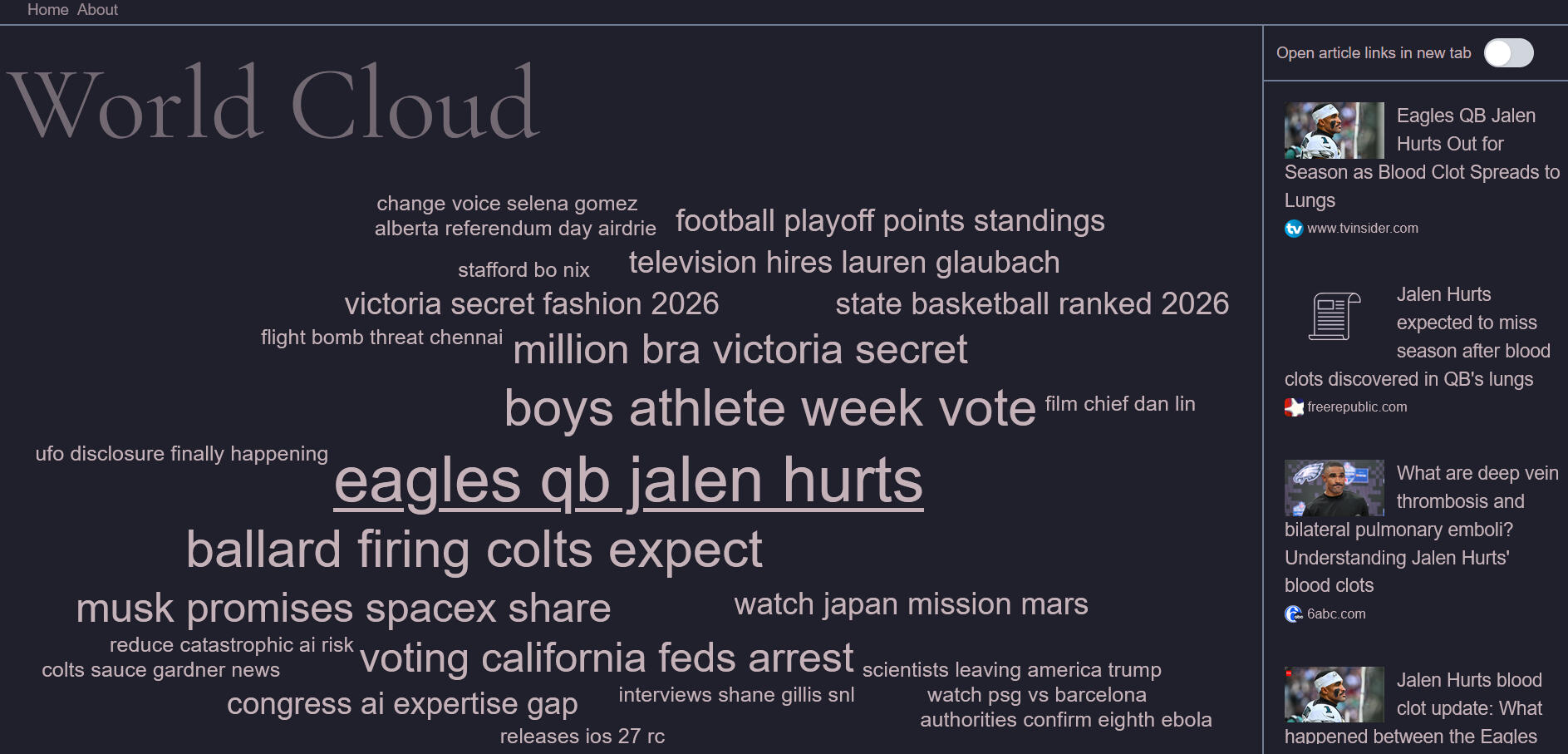
World Cloud is a concept website based around the idea of an easily accessible news aggregation site. News sources from across the internet that are reporting on similar subjects are organized into clusters. These clusters are given a name based on the subject, and these names are organized into a word cloud. This website was built specifically for my portfolio, as a way of demonstrating my ability over several services required for running websites.
Creating the concept
My initial intentions for World Cloud came from a desire to know more about the world around me. I felt an undercurrent of data and events that seemed just out of reach, one that could show me what was really going on beyond what was filtered to me by social media.My ultimate dream would be a place capable of not only gathering data, but also finding connections between them, and presenting them in a way that is accessible and human readable. However, I needed to keep the scope small for what I intended to be a portfolio piece.In the end, I decided on a miniature of this idea. I wanted to get more sides to stories that were served to me on the internet. If there was something being reported on, I wanted to know if there was any followup information, or anything contradictory that might not receive any attention. In essence, the idea was to get all angles on a news story to be presented equally alongside each other.
Making the word cloud
For this project, I wanted to touch on all elements of web design, but I also wanted to include at least one complex system built from scratch. There are word cloud libraries available for JavaScript, and I would use them in a real project, but for demonstration purposes I chose to make my own.
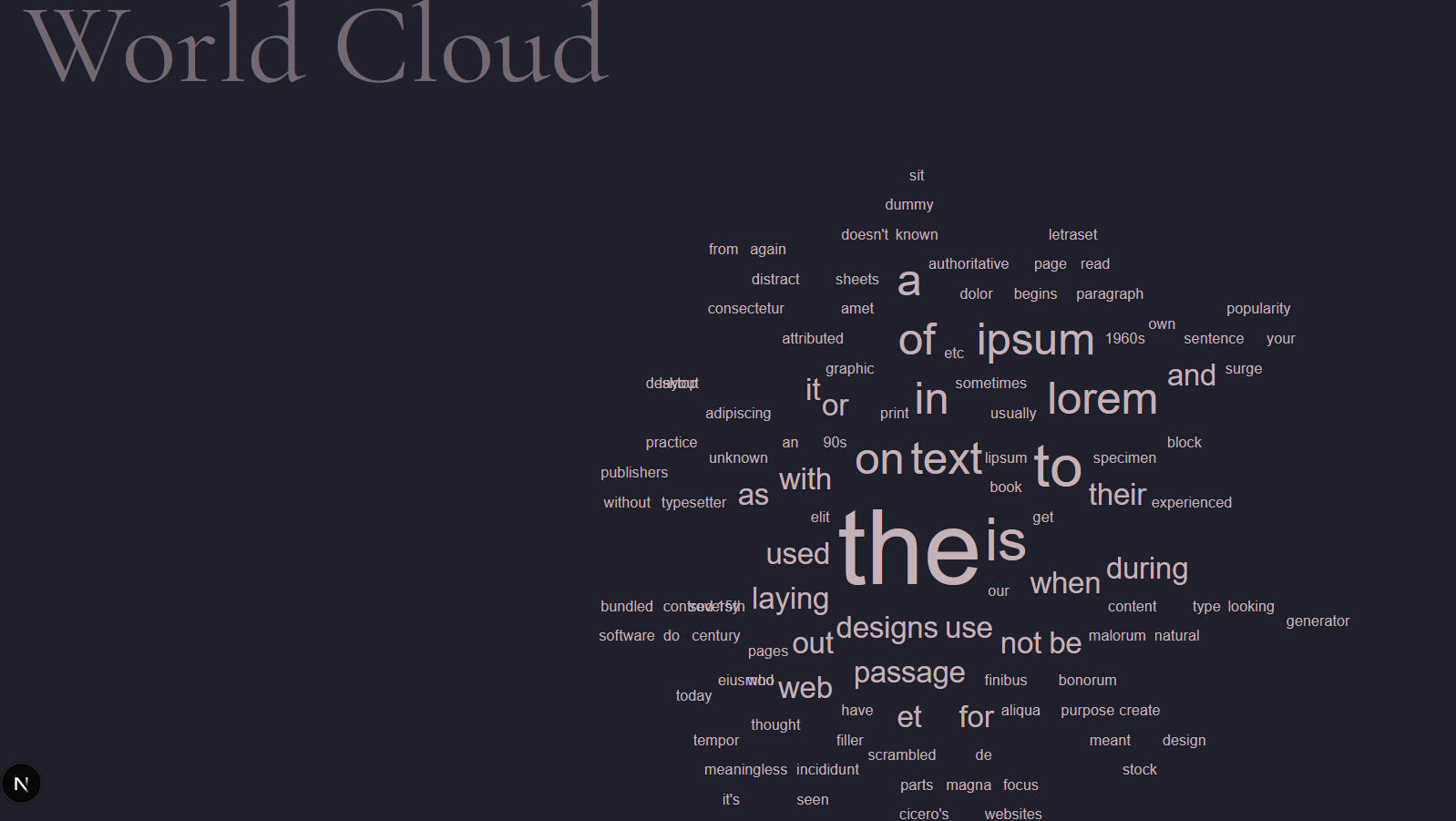
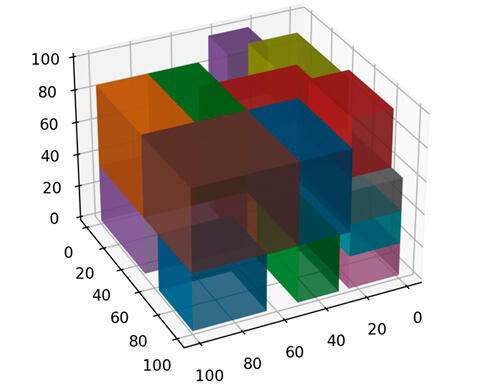
The two obstacles needed to be overcome was to decide on which style of packing algorithm I wanted to pursue, and how to deal with collision checking. As most programmers know, checking for collision in simulations naively usually creates On2 scenarios, where each object must check every other object to make sure they are not touching.A packing algorithm is one that deals with efficiently using a limited space. Many of these algorithms exist, but it is considered an open problem in mathematics to create one that can be considered to be the best in all scenarios.
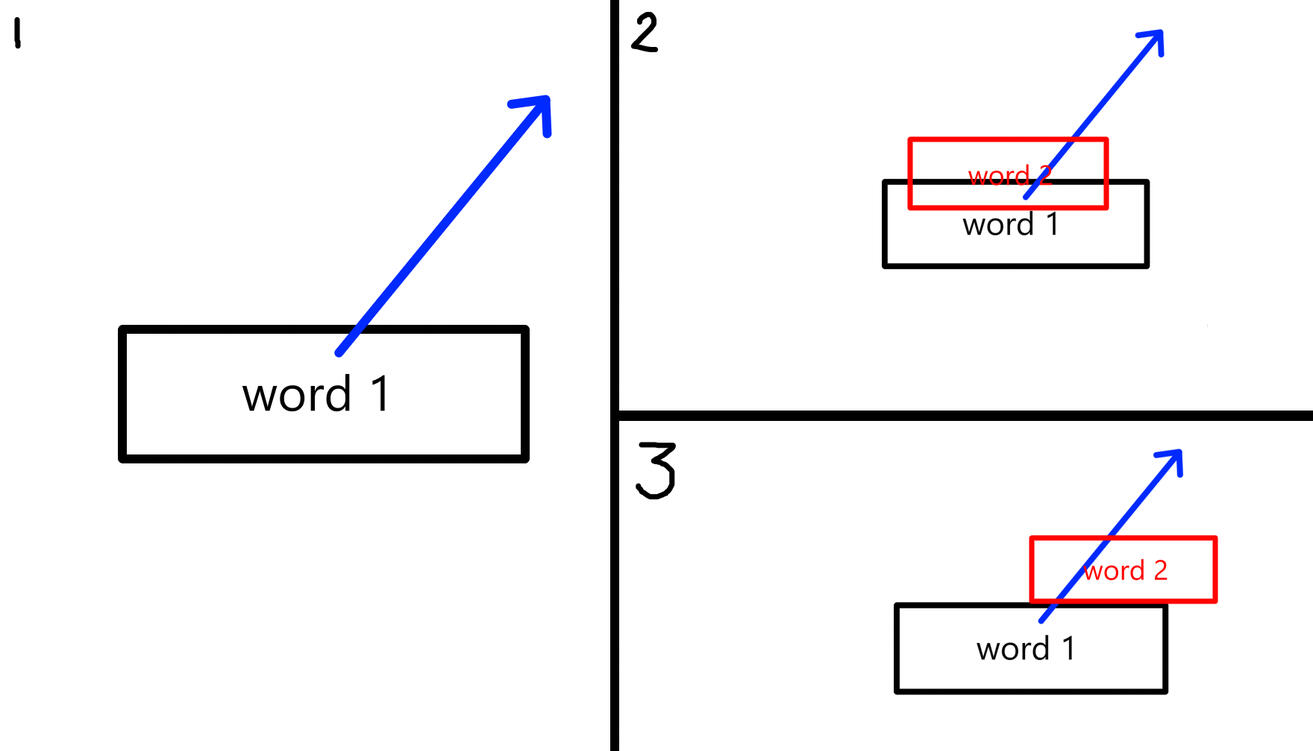
World Cloud uses a spiraling algorithm. We place the first word in the center, then set a direction to move in. Then, we place the second word in the center, test for overlaps, and nudge the new word in the direction we set earlier. Finally, we increment the direction and repeat the process until all words are placed.This algorithm produces the least efficient use of space in packing algorithms, but still creates a satisfying word cloud for our purposes, and is the simpler and faster method.
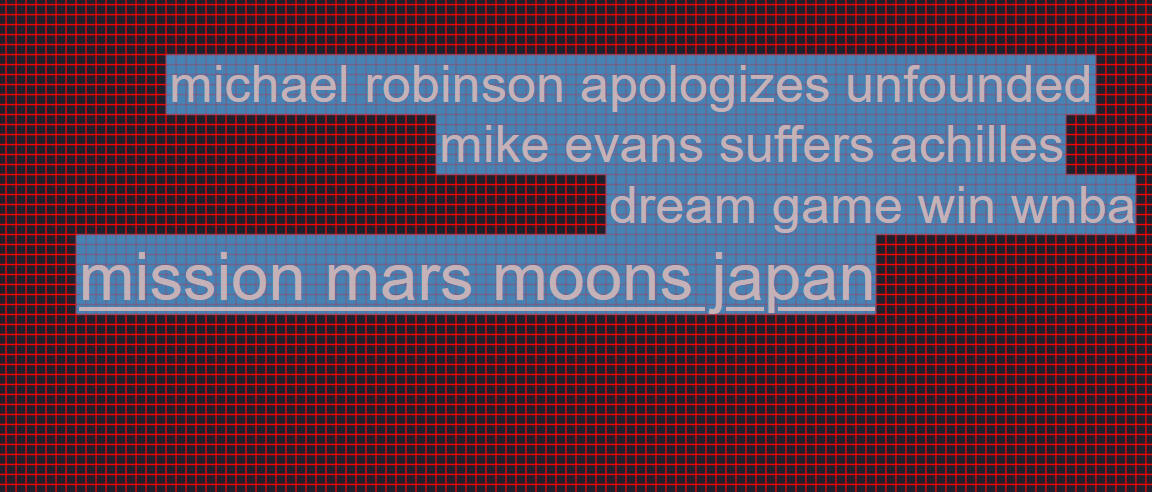
As words are added, each one needs to check for collision with other words. As a spin on normal collision checking techniques, I decided on using a grid system to discretely place words. Since the words must be placed on a grid, we can mark grid cells as being occupied. This way, words only have to check the grid cells they are on top of in order to see if they are currently colliding with another word.I created a debug mode for the word cloud in order to add one word at a time, checking the logic at each step.
There were a lot of edge cases and optimization tests in my word cloud implementation, and there would be many more to come as I got into the world of resizing for mobile. But for now, I needed to connect my word cloud algorithm to some real data.Since I needed to keep the website costs free, my backend options were limited. For the news articles themselves, I used NewsAPI which returns a list of articles from thousands of sources when given a search parameter. Since we want to gather as many articles as possible, I send seven requests, each with a different search keyword, for example "Science," "Economics," "Sports," etc.
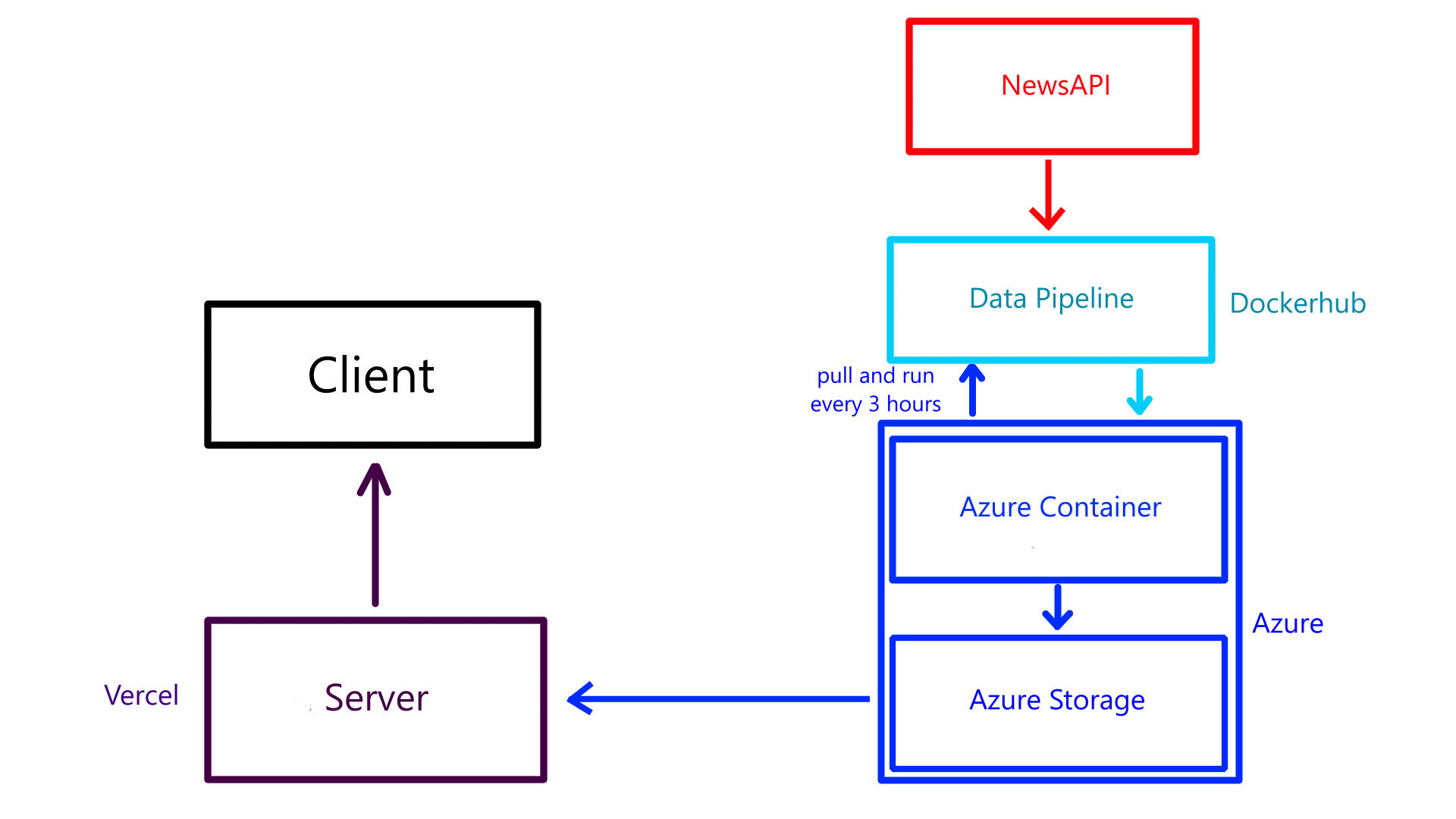
The above image shows the flow of data and the services involved with automating it. We start with the data pipeline that gets data from NewsAPI. Once the articles are downloaded, they need to be organized, which is the job of the pipeline.Once the data is received, articles that don't have required features (e.g: Author, title, timestamp) are removed, as well as duplicates and spam. Then, all articles are run through a weighted policy model to sort them into clusters based on like terms. These clusters are given to another weighted policy model to give each cluster a name based on the titles of the articles within. This process is done using models from the scikitlearn library, which is a python machine learning repository.The pipeline exists as a Docker image that is run every 3 hours. An Azure container is responsible for pulling the image and running it on its container, from which the output is saved to an Azure storage blob as a small JSON file. When accessing the website, the Vercel server requests the file from the Azure storage and serves it alongside the normal HTML document.
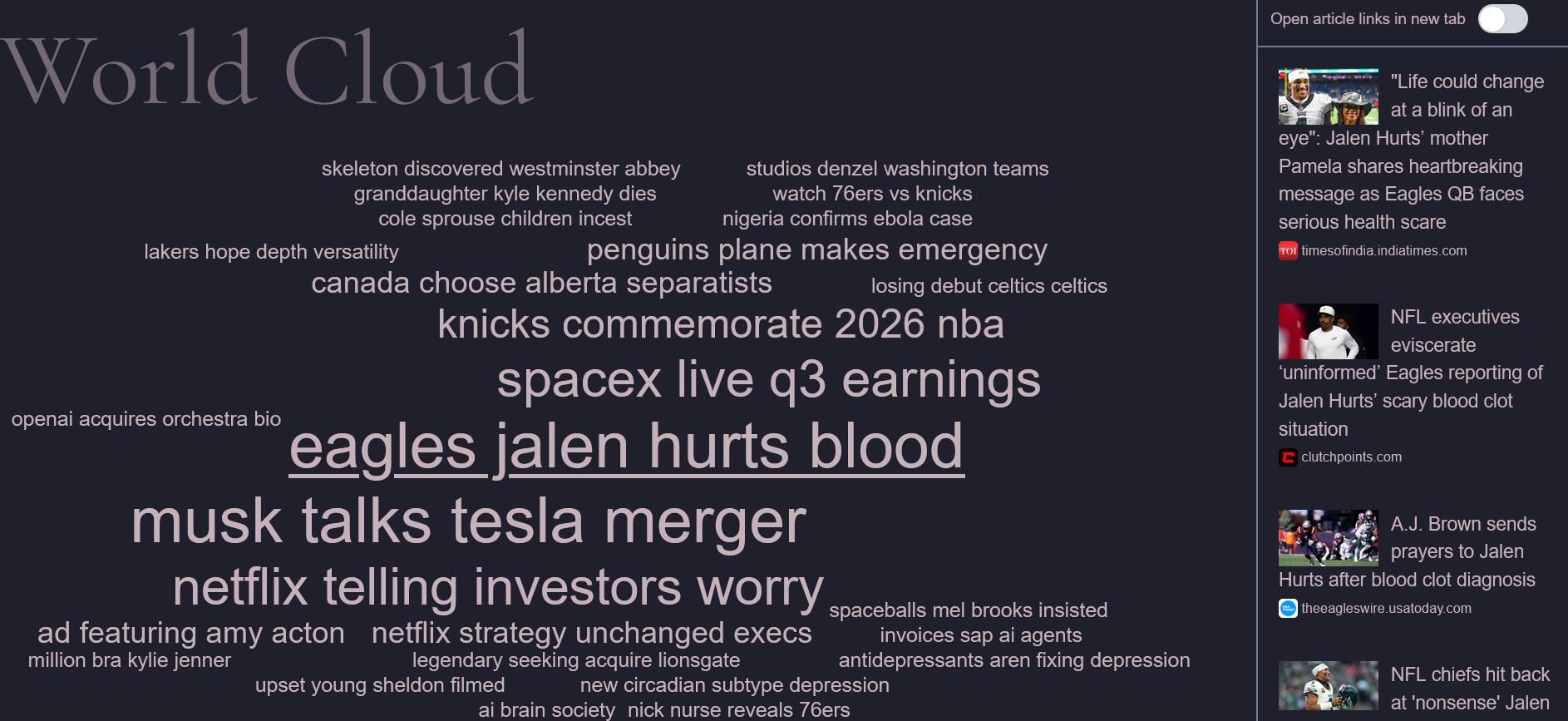
Now that we have our formatted data and our word cloud, putting them together creates these clouds of information that can easily be glanced over to get the latest story. By clicking on a cluster, the articles are revealed on the right hand side. In this way, if something is being reported on, all articles on that subject are placed alongside each other, and any additional information omitted by one story can in theory be given by another.
Working with React
React is necessary for making reactive interfaces. We need to wait for certain elements to reveal their size and for data to arrive before drawing things. In the case of World Cloud, the word cloud is dependent on the size of the window and the "words" are dependent on the downloaded data. For this reason, we need to use React's State and Effect functions to be able to render UI elements that depend on other conditions.
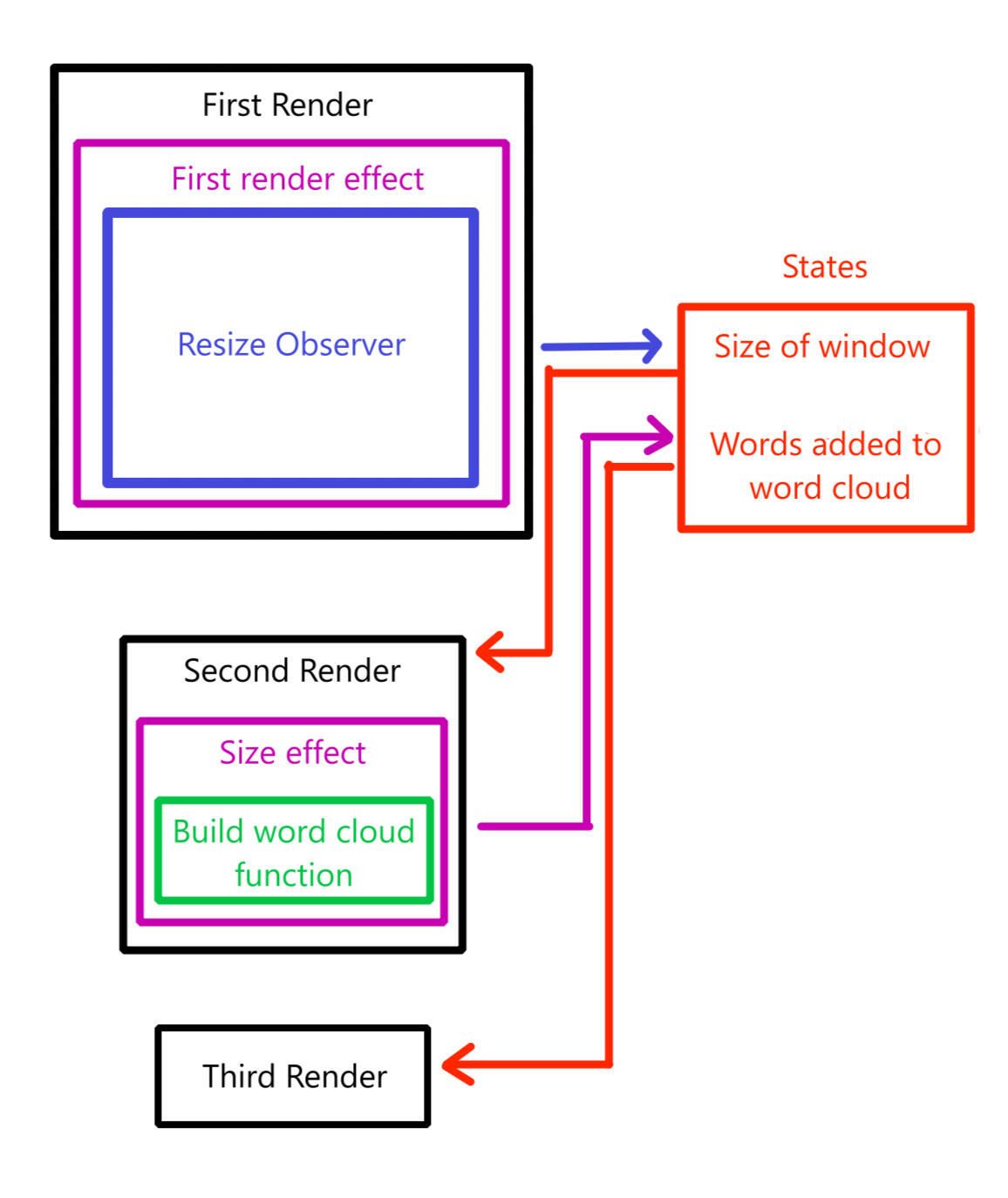
The entire word cloud component is called inside of an async function, which waits for the data to return before passing it to the word cloud component. The above diagram is a simplified version of the execution process.Once we have the data, we need to determine the size we are working with. Using a React Effect, we can run code after the first render is complete. After the first render is complete, we can create a resize observer that checks for window resizing. If the window is resized, we can update a React Stateful variable. When a React Stateful variable is updated, the window is re-rendered. Thankfully, the creation of a window counts as a resize, so the resize observer triggers on the first render, aka the same render it was created.Now that we are on the second render, the size of all the elements that were created on the first render are available to us. We are using a canvas element to denote the size available to the word cloud (and to be able to draw on it in debug mode), so we send the dimensions of the canvas element to the word cloud function. The word cloud function is called during an Effect at the end of the second render, so we can interact with various variable references in the code outside of the render time (again, this is a simplified diagram). Once the word cloud function is complete, we update the state again with the word cloud data, so we can render one last time to display the word cloud on screen.There is more to the word cloud component, like statefully clicking on words and keeping track of which words have been clicked on, and which is currently selected, but the main process is roughly outlined here.
Possible features and imrovements
The inspiration for this project was borne from a feeling of being corralled in the digital landscape. Algorithms are designed to place a loudspeaker on certain topics, and one widely reported story shown in one place may not garner much attention elsewhere. World Cloud is a tiny attempt to boost topics that I would not have otherwise seen in the places I usually frequent, and in that small matter, some success has been found. However, the feeling remains, since news articles are still owned by large multimedia corporations, and simple news reporting is not the full picture of the world.If I were to continue building World Cloud, I would first start to look for more sources. The current article gathering system is limited to only a few requests per day, and these requests can only look back a short distance into the past. Building up a more robust series of services, and thoroughly experimenting on different frameworks of data collection would be an important first step to improving the quality of information shown on World Cloud.Another useful addition would be to upgrade the historical and database capability of World Cloud to be able to show the history of news cycles over time. By saving data to a database and creating a relational system for topical clusters, we can add a timeline as a setting to allow for visualizing events over a user specified amount of time.Lastly, a login system to allow users to create personalized World Clouds. blocking certain websites and filtering or searching for certain topics would be a useful way to extend the functionality of World Cloud, by allowing users to quickly glance for updates at subjects they are interested in.
Home ||| Pixel Art ||| Programming
Reinforcement Learning in Unreal Engine 5
The journey so far in creating interactive learning agents
Home ||| Pixel Art ||| Programming
Concept Design and
Neural Networks
Introduction
Unreal Engine is a common industry engine, so I decided to start a small project to get some experience with it. I have always been very interested in NPCs and AI decision making, so for this project I decided to investigate neural networks. I haven't seen a lot of attempts to use neural networks as a part of a game mechanic, so there is a lot of room to innovate here.
My game concept is to create a challenge about training teams of fighters. This can can be likened to something like Team Fight Tactics or Dota Underlords, but my goal is for much more dynamic combat. To keep the scope of the project small, I will likely not create a complete game, but go for a minimum viable product to demonstrate the concept of the game.
Design Concept
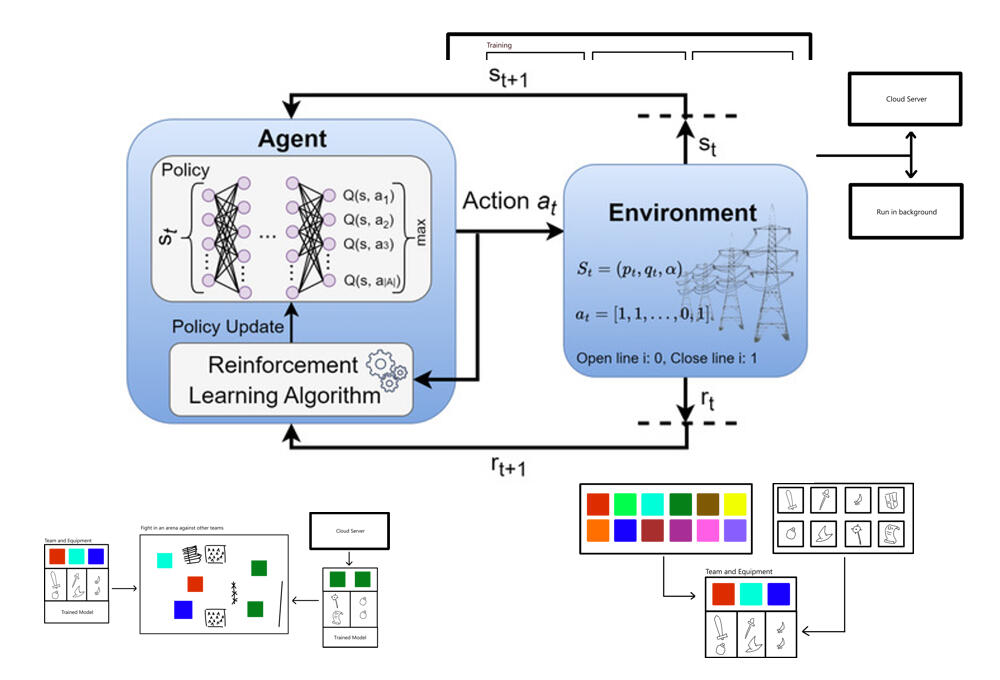
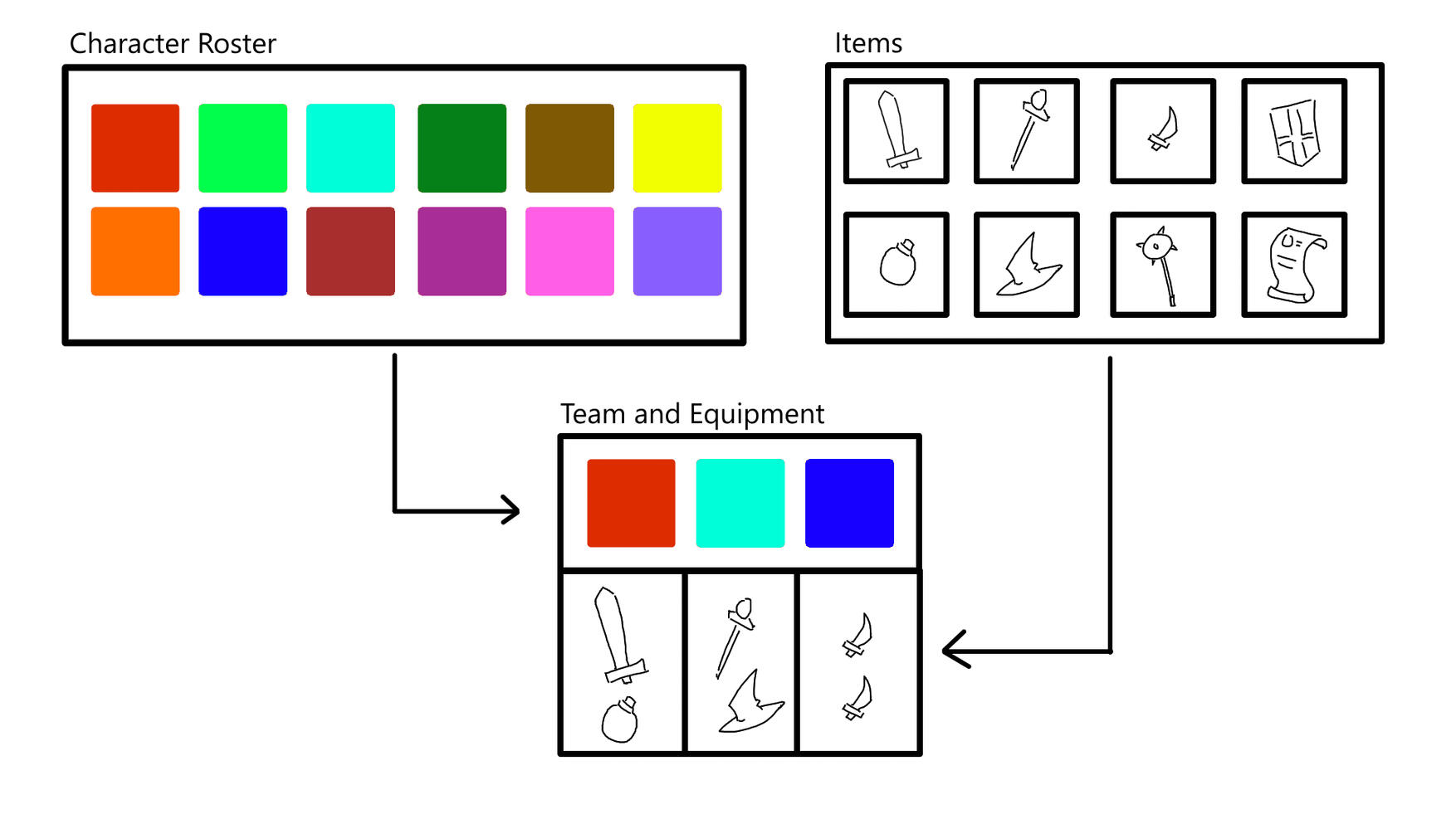
The game is divided into three phases. First is the phase where characters are chosen from a roster and can have items that can give them abilities or change their statistics. Choosing characters and items cost resources to limit the player.
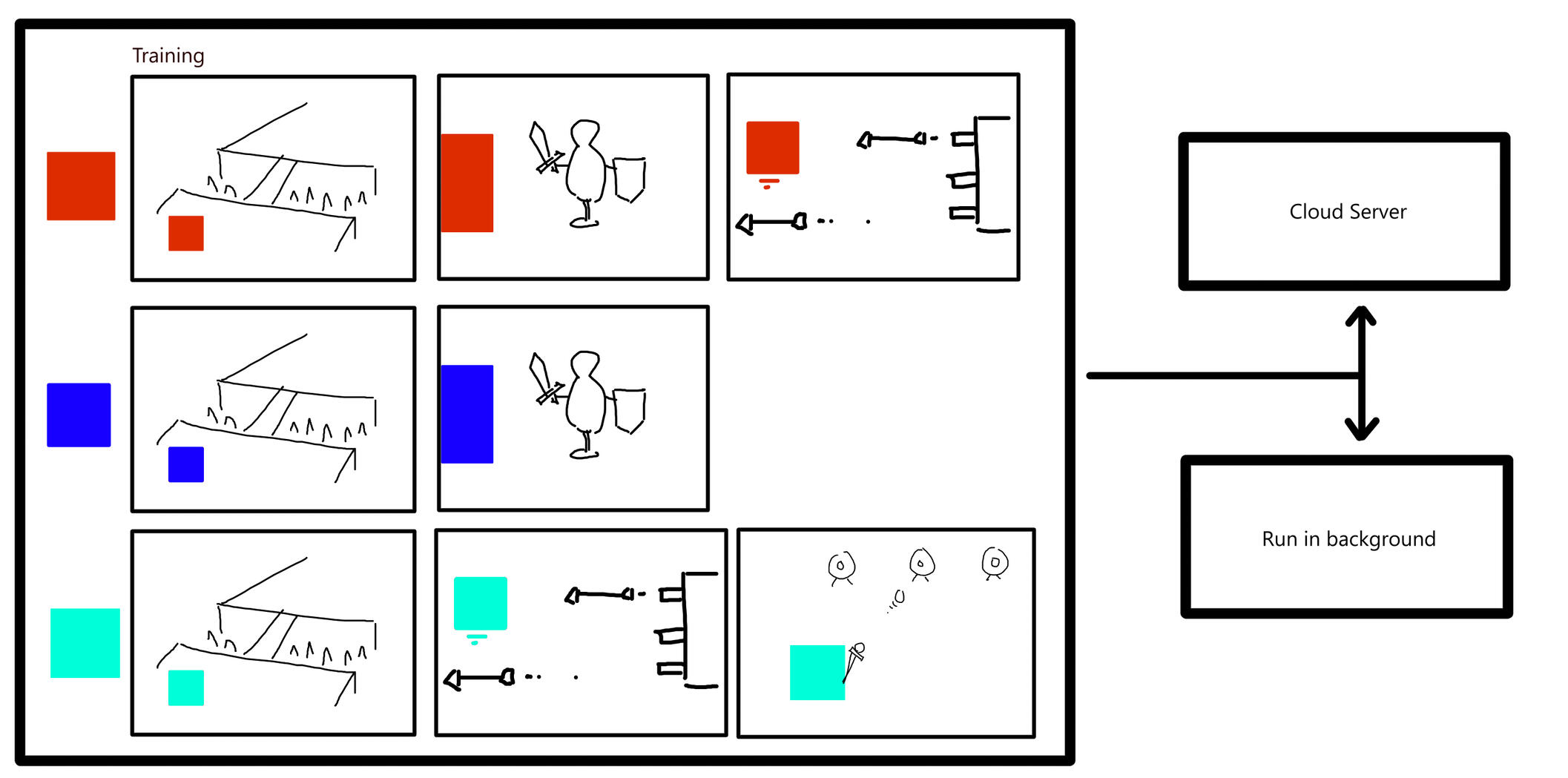
Secondly, characters need to be trained with reinforcement learning. This part of the design is tricky, since reinforcement learning is a long process that can fail in the wrong conditions. My initial idea here is to create a series of tried and tested rooms that can be sequenced together to create a manner of 'training course' that AI agents can begin to assimilate into their policy. The actual time of the training process also needs to be considered. The best scenario would be a system to allow players to rent their own cloud containers to run the simulation, but it might be acceptable to also allow players to run the training on their own machine if they are willing.As a side note, there are some games that leverage reinforcement learning in real-time. These games are much more discrete in nature, usually involving a tick system and grid based movement.
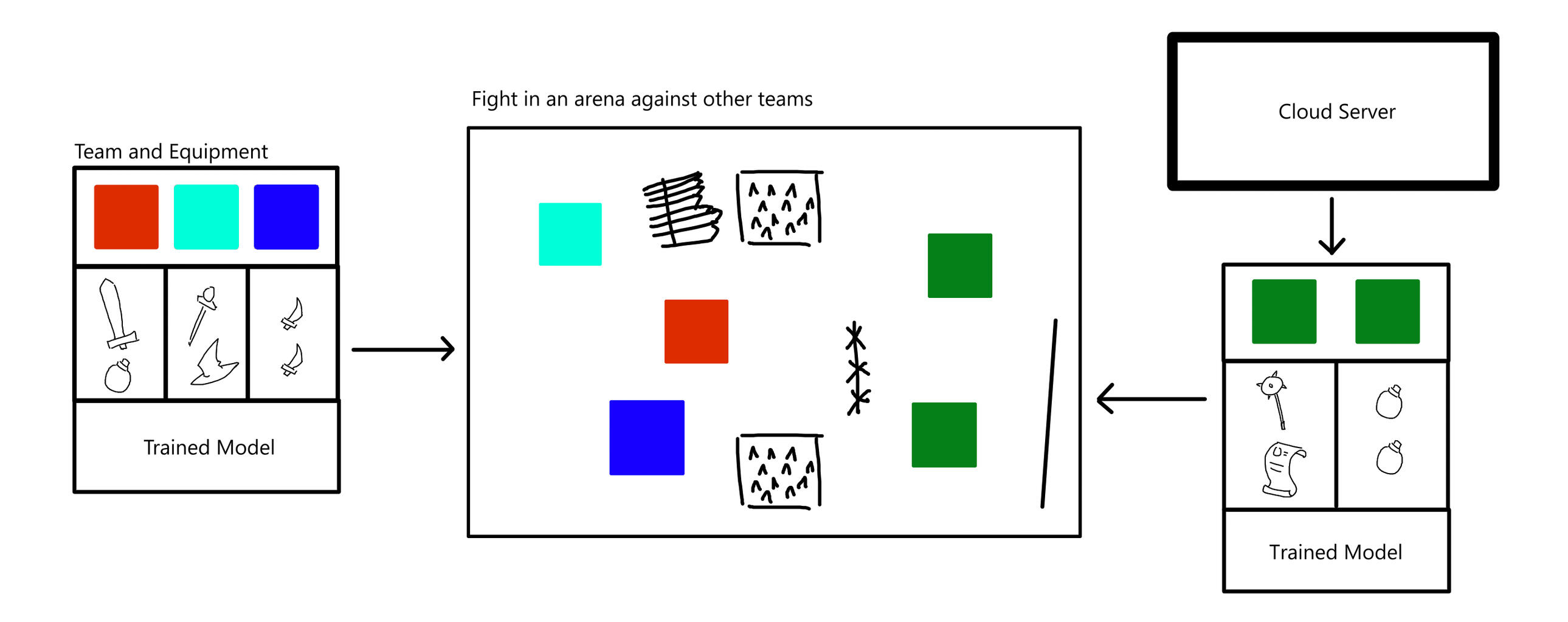
Finally comes the battle step of the game, where you can test your trained team against other teams downloaded from a database. This mode of the game could contain a tournament format or an endless mode, and give more resources to spend on upgrades and additions to your team.
Realistic goals
My real goal for this project is to get a team of three agents to fight another, identical team of three. Making dozens of characters, rooms, items, and cloud infrastructure is out of my scope, and I want to move to other projects and ideas soon. However, I think that this small demonstration prototype is a good experimental concept for a project.
Neural Networks
A deep understanding of neural network reinforcement learning is not necessary to work with them in UE5, but it is useful for intuitively understanding their behavior. Most of my understanding came from this excellent video series by 3Blue1Brown:
One thing I did was complete a full gradient descent and propagation step on paper, to reveal the process by which nodes in the network slowly grow towards a valid policy. In a nutshell, a neural network can be thought of as a ball, randomly placed on a many dimensional topological landscape. We can clearly define the desired outcome of the network to be a quantifiable number set, or in other words, some location in the landscape. By moving the ball, we can test whether we have moved towards or away from the solution, and back-propagate a path to move towards it.
Home ||| Pixel Art ||| Programming
Setting up Reinforcement
Learning in UE5
Learning Agents
Neural Networks are a fairly complex concept that require a lot of functions, classes, organization and so on. Thankfully, Epic Games have published an experimental plugin for Unreal Engine 5 known as Learning Agents.
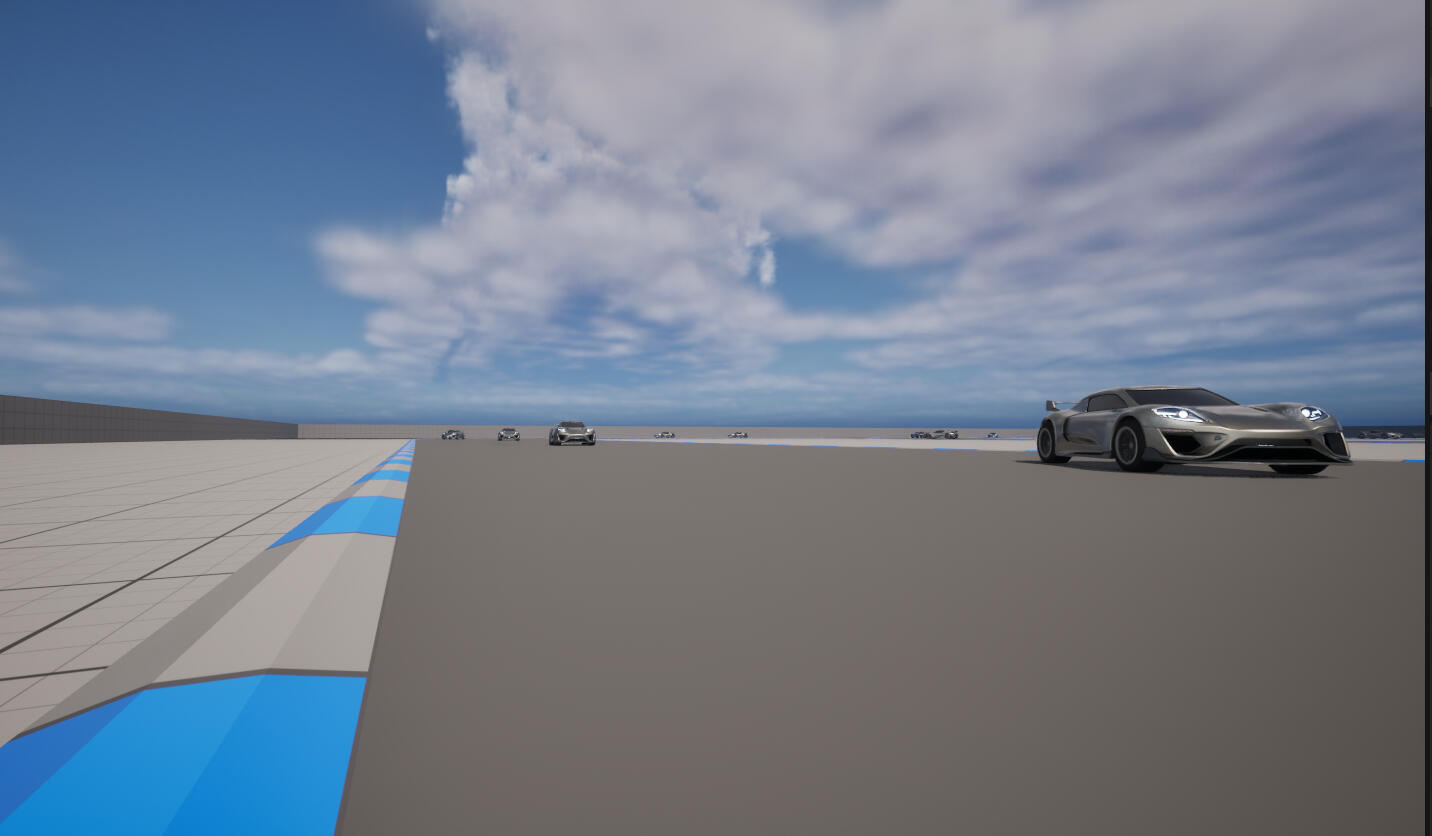
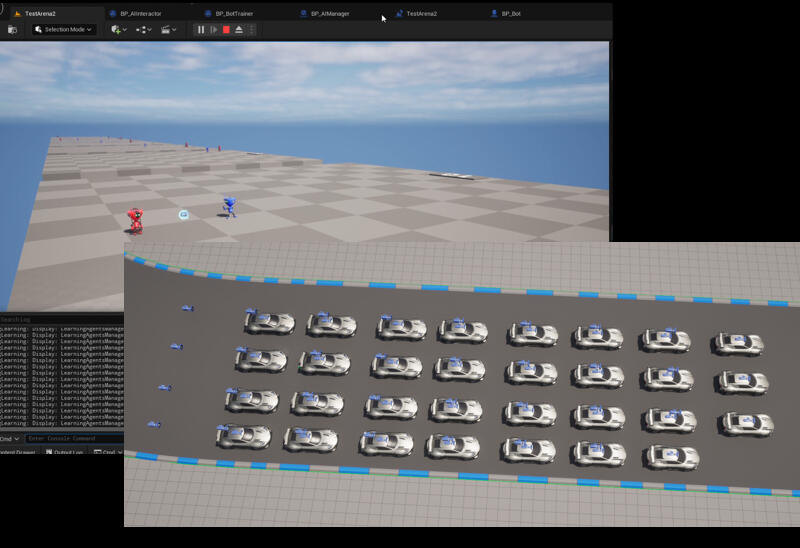
Learning Agents comes with its own tutorial linked here. In a nutshell, it is a plugin aimed at creating a weighted model using agents trained in parallel. In the learning to drive demonstration, a group of 32 cars are randomly spawned at different sections of a track, then given the ability to press controls at random. Over time, the cars (AI agents) learn which keys to press, for how long and in which order, in order to drive around the track without crashing.
Quick Overview
The raw goal of a neural network is to output a list of numbers. What those numbers mean depends on the task you are trying to complete. Usually, they are a confidence score among a series of choices. In the learning agents example, we have a choice between accelerating, turning, braking etc. Each choice corresponds to a node in the output layer.
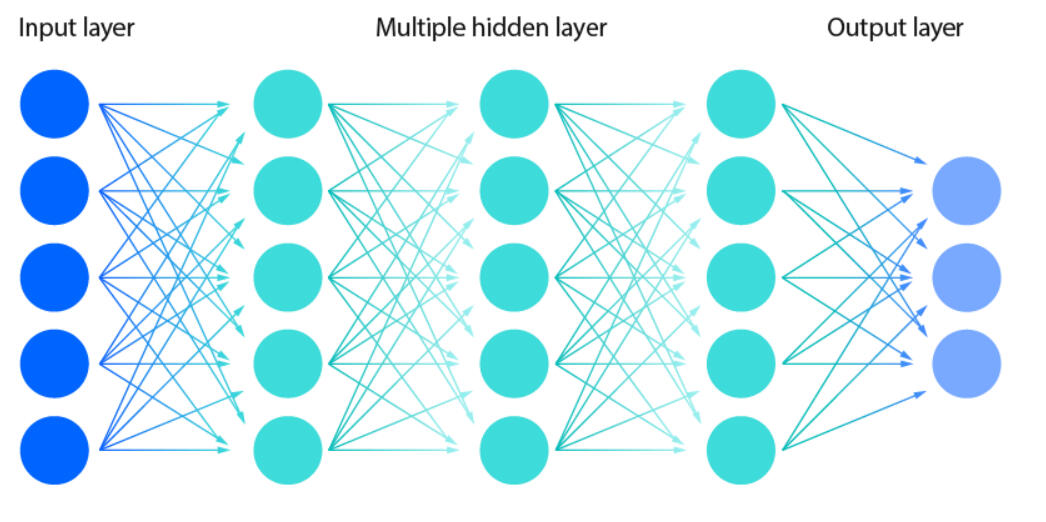
For example, a fully trained model might give an output of 0.98, 0.01 and 0.00 among a choice of going forwards, stopping or reversing respectively. This would mean in that moment, the agent "wants" to go forwards.The input layer is a series of numbers that corresponds to the agents environment. This is anything deemed important, and could be absolute values like the current location, speed, direction, or it could be a 65536 long list of numbers, each corresponding to the opacity of a pixel on a 256x256 grid.The layers inbetween are the layers that the training algorithm has control over. Each node has a weight, and a list of weights for each node it is linked to. The inputs are sequentially multiplied and summed over the inner layers until they become the outputs on the other side. The algorithm slowly adjusts these weights with each training session, hopefully allowing the agent to output the desired numbers given any input. In this way, the entire apparatus can be thought of as a policy model, treating an arrangement of inputs with its own set of rules and giving an output.This brings us to the final part, which is defining the desired output. The neural network has no idea which way it needs to move if there is not a guiding principle. There are multiple contexts for doing this, but in the case of AI agents within a continuous environment, a system of reward and punishment is needed. for the example above, the cars are reset and punished for leaving the track. They are rewarded for making progress on the track. the terms 'reward and punishment' simply refer to a variable that is tracked between training loops. The goal of the network is to find the policy that causes the variable to be added to the most, i.e. rewarded.
Initial steps for repurposing
learning agents
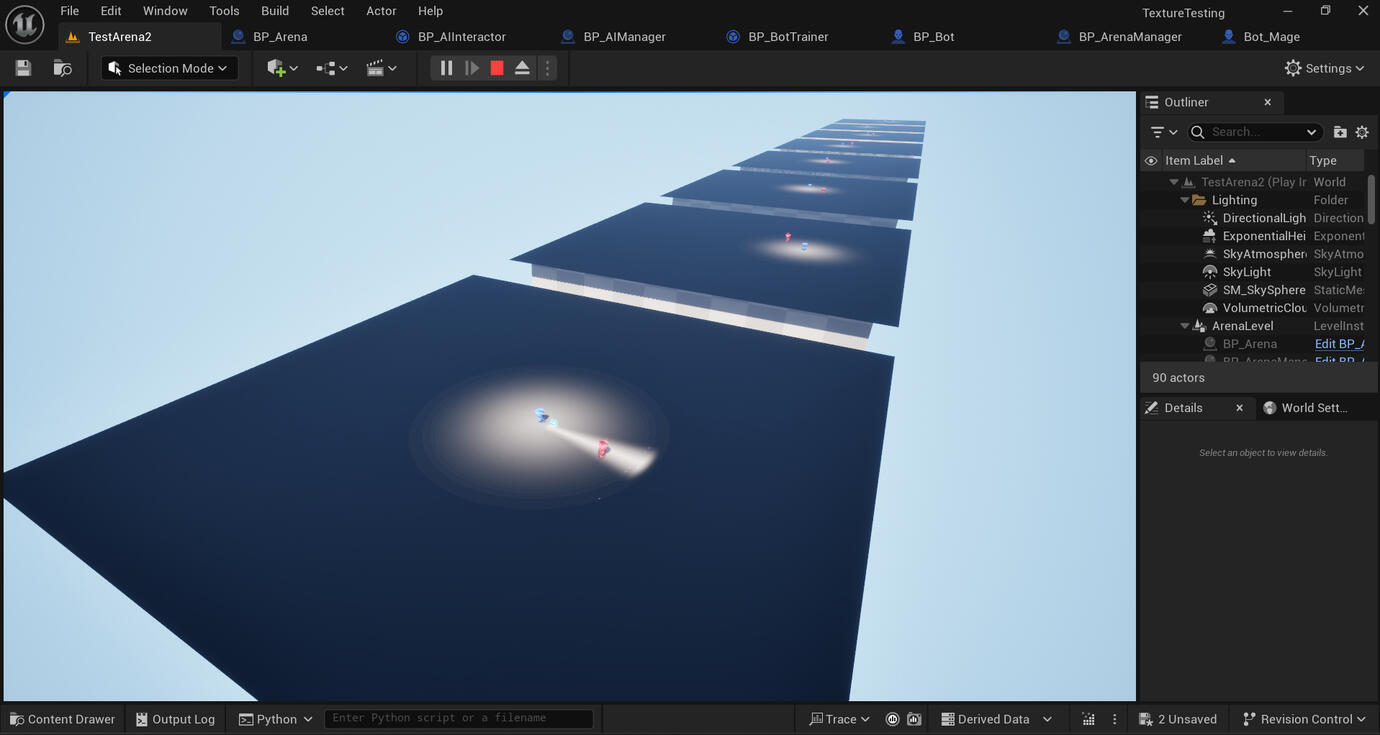
My first goal is to create a simple interaction between two agents. I spent a fair amount of time learning Unreal Engine's systems in order to create two characters, create effects, animations, organize code files, create modules and experiment with traditional AI decision trees. To get started, I worked on creating a square arena for two agents to interact in. This arena can be replicated for parallel training purposes, and has a timer.
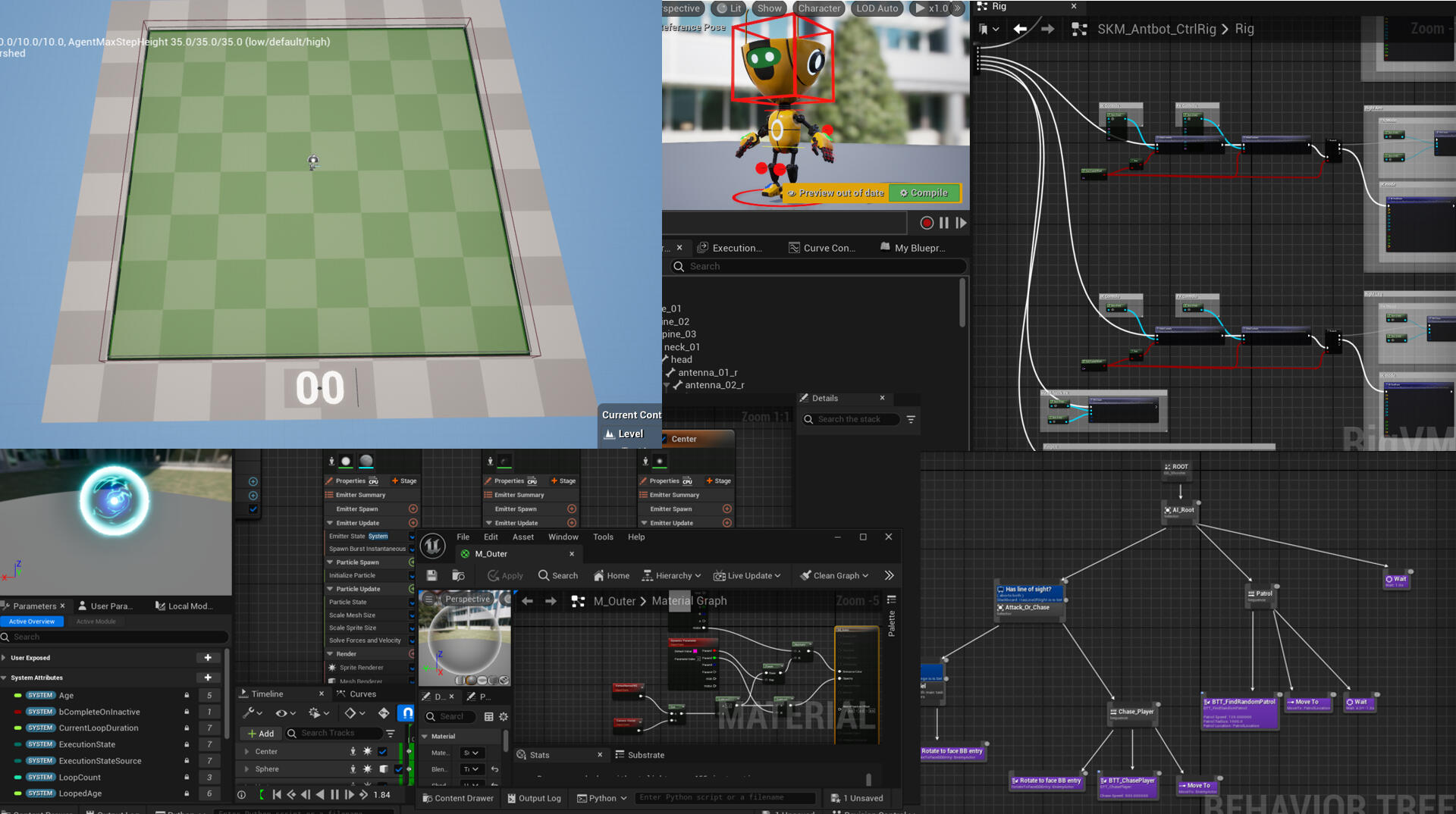
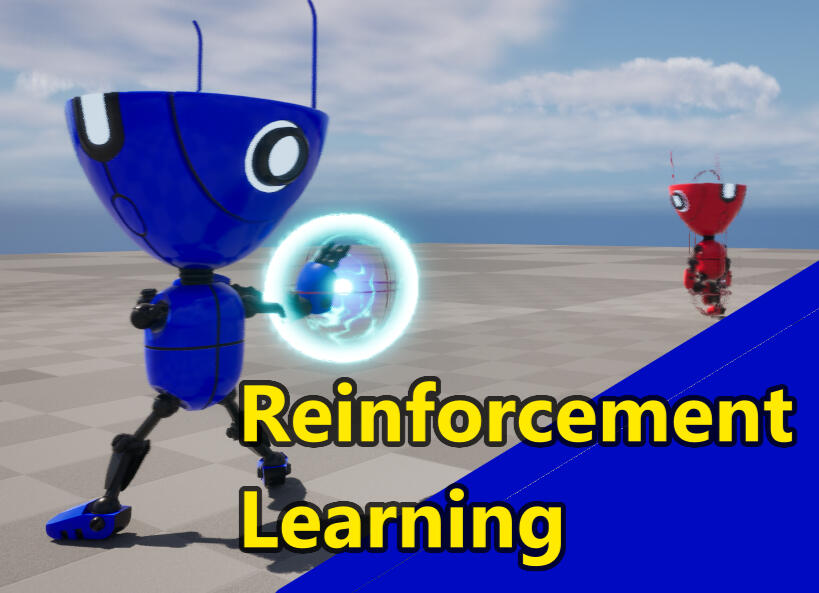
Once this initial learning period was out of the way, I set up two characters. The blue one is a traditional AI, running a decision tree that simply paths the agent to its target and uses a ranged attack. The red one is an AI learning agent. My wish for this agent is for it to evade the blue one and live for the allotted time.
Inputs, outputs and rewards
For my first naive attempt, I gave the agent a simple input: Its location. The output is also a location, the position it wants to move to. Then to define its motivation, i.e. what I want it to do, I set a reward for surviving 20 seconds, and a punishment for dying. This approach revealed multiple truths and limitations with reinforcement learning.The first is the sparse reward problem. The truth is that this type of machine learning technique requires constant feedback to understand what is needed to tune its policy. Intuitively, this makes sense when considering the timescale of a training round. If the movements that are required for a success are complex, the chance of receiving a reward is low and the algorithm can't infer any learning. The policy can only evolve when it finally makes a series of random moves that improve its score.
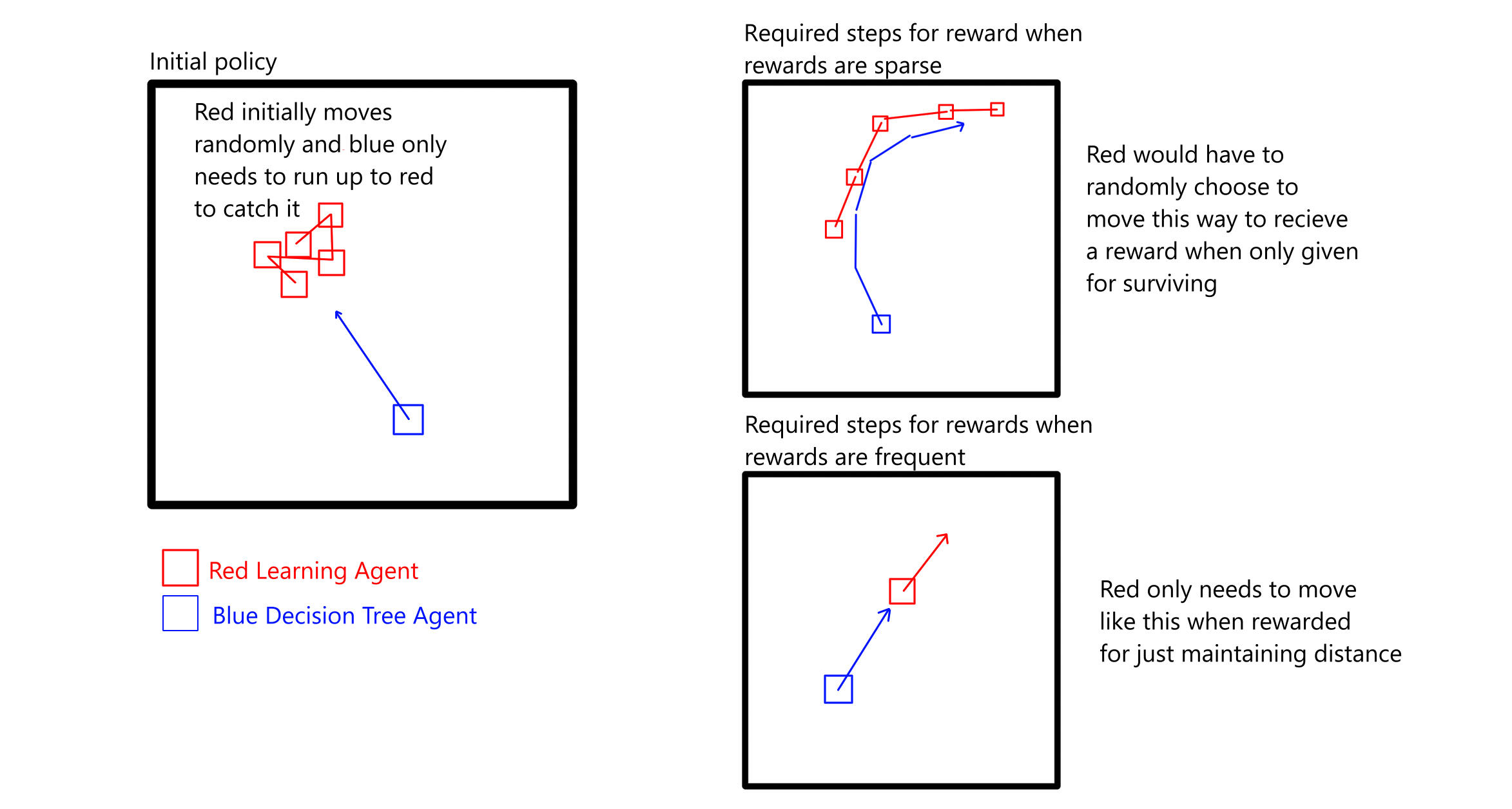
The second truth is that of limited inputs. AI requires information that is relevant, but too much information can confuse the policy, as the system takes time to sort out which inputs are irrelevant for a given scenario. In my case, the agent knew where it was, but not where the enemy agent was, or where the projectiles were, or where the edge of the arena was, or which way it was pointing, etc. The key is to balance which inputs are necessary and which will only add to the training time for limited improvements.
The first success
After working out the needs and limitations of machine learning on this level, I added more rewards and inputs. By far, the biggest effect on the success machine learning is changing the rewards. The more closely the goal is defined, the faster a model can home in on the correct policy. I added a punishment for the proximity of the opponent, and added inputs for the opponents location.
This iteration of the experiment has the red agent punished the closer it is to blue. However, it is unable to find a solution for running into the edge of the arena (which is an invisible wall). Again, this is because of sparse rewarding. The agent needs to run back and circle around, but this would move it closer to blue, which it is being constantly punished against. The policy would need to randomly decide to make the long sequence of decisions needed to escape, which is very unlikely.
The next step is to continue iterating on input and reward methods, improving the efficiency of the learning and the ways in which agents perceive the world around them.
Home ||| Pixel Art ||| Programming
Iterating on Reward Schemes
and Inputs
Variable Inputs
One thing that is relevant to the red agent is the velocity and speed of the projectiles. However, these projectiles are temporary creations that appear and disappear. In neural networks, this is a problem since the number of inputs must remain the same. Later on, I will have an entirely different approach to inputs that solves this, but for now, we can create dummy inputs in this scenario.
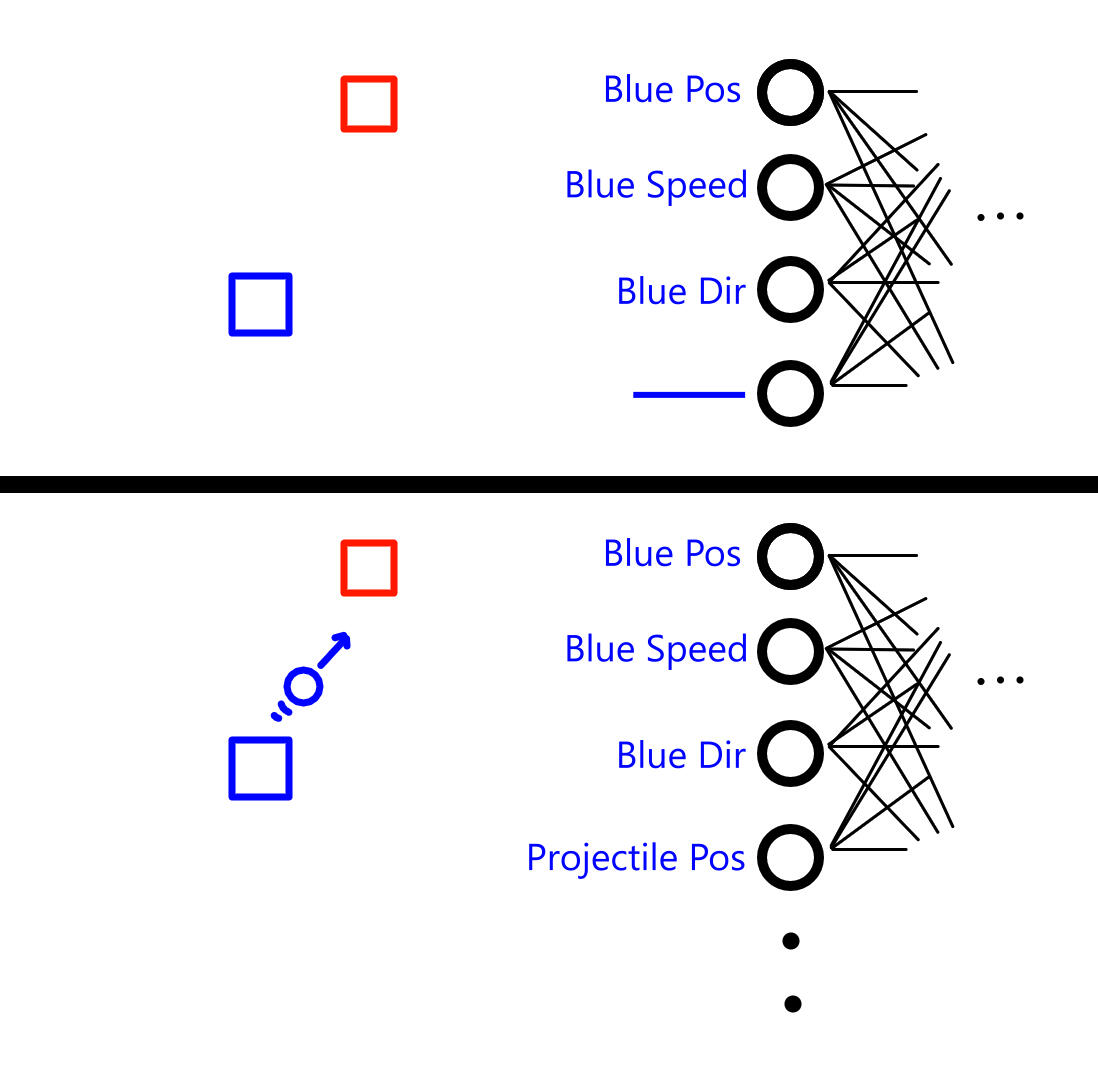
We create a series of 'slots' that hold some number that denote the slot as inactive, -1 for example. When the projectile is created, the first slot(s) starts receiving the relevant data from the projectile. The issue here is the time it takes for the model to decipher the difference between inactive and active slots, as well as formatting data to make sure that some number ranges are easily differentiated as being inactive.You could be tempted to use -1000000000 as the 'inactive' number, but these numbers are still added to the network, and large numbers can cause the model to become unstable.
Reward Scheme Improvement Tests
My first adjustment to the reward scheme involved simply adding a punishment for being within a certain distance of the blue agent. Now that there was no incentive the stay as far away as possible, red was willing to get a little closer to blue in order to cut across them. However, red still got stuck in corners.
Something that was very interesting to me was the small optimization that the learning agent had seemed to pick up on by itself, which was the strategy of only running away a small distance and allowing blue to catch up before running away again. This extended the time red had before running into the edge since blue would be stuck in the attacking animation.
After more experimentation, I landed on a scheme that punished for selecting a location outside the arena, getting hit, and dying. It had a flat reward for being outside of blue's range and surviving. The results at this point were becoming quite satisfactory, but not perfect.
The red agent has learned to make only necessary movements, and seems to have begun to equate the position of the projectile as being something to avoid. However, I'm still unsure as to whether the dummy and real values are being correctly differentiated, and the red agent is still hit sometimes. I also found out how to enable the graphing capabilities in the Learning Agents plugin, and we can see the results of the training over time:
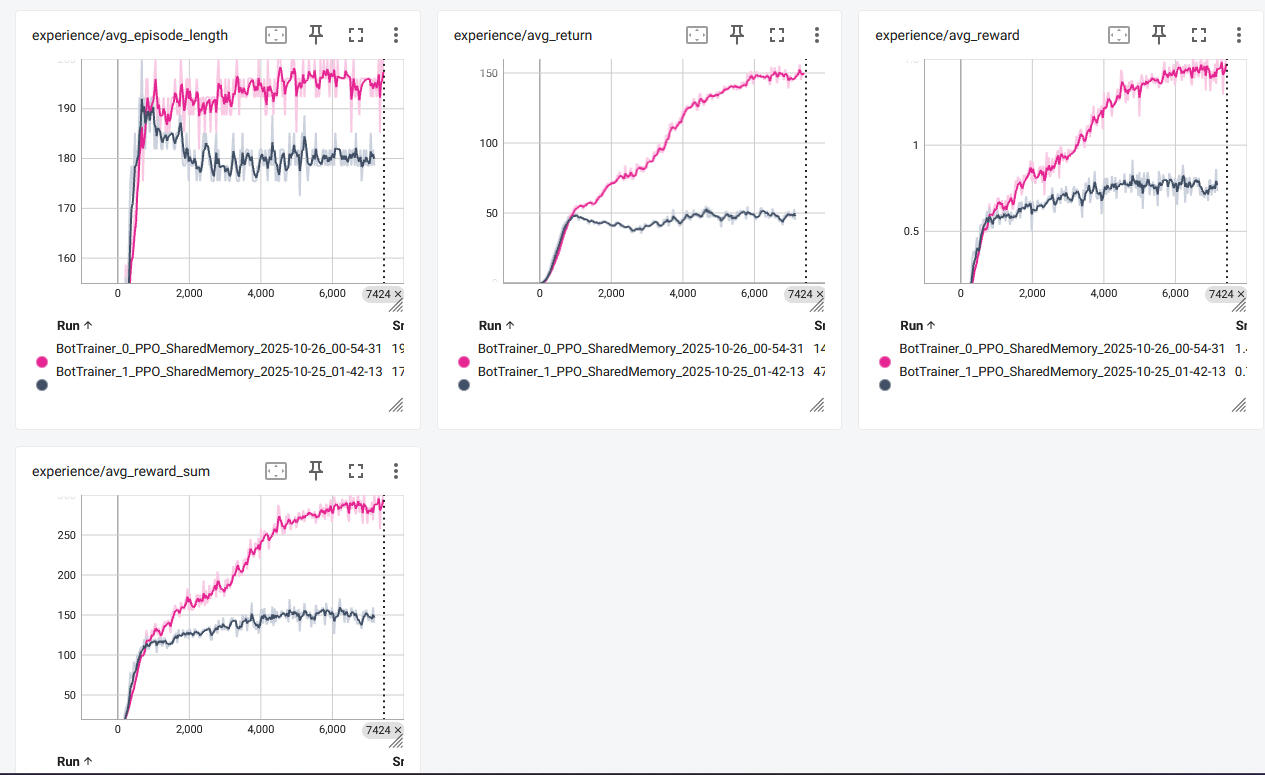
In a nutshell, we can see that a successful training run begins to taper off as the model reaches its maximum potential, or the ceiling for what it can gather in terms of rewards. These training periods are taking place over 10 parallel agents running overnight at about 1.5x of realtime speed, which is why the timer runs faster in the video.
A Note About Reinforcement Learning
At this point, I've started to realize that machine learning, on this level at least, can be thought of as "fuzzy programming." We are still programming an agent to move and interact in certain ways, but we are not doing so explicitly. Due to the nature of the probabilities involved, a reward and input scheme will likely yield the same behavioral results when given similar starting conditions. In this way, we are still programming an agent to make decisions based on conditions akin to a decision tree, and must take care not to break controlled environment.However, there is still room to gamify machine learning. The hope is to see unexpected optimizations or strategies to complete the goal, and these are still prevalent in machine learning environments. We can allow the player to construct their own reward schema and environment to train their agents, and conceivably will end up seeing these interesting interactions.
Generalizing Inputs
Currently we have explicit inputs for the data of all elements in the environment. However, this becomes more complex as more obstacles, different characters and more types of variable entities start to enter the equation. After some time, I came up with a possible solution:
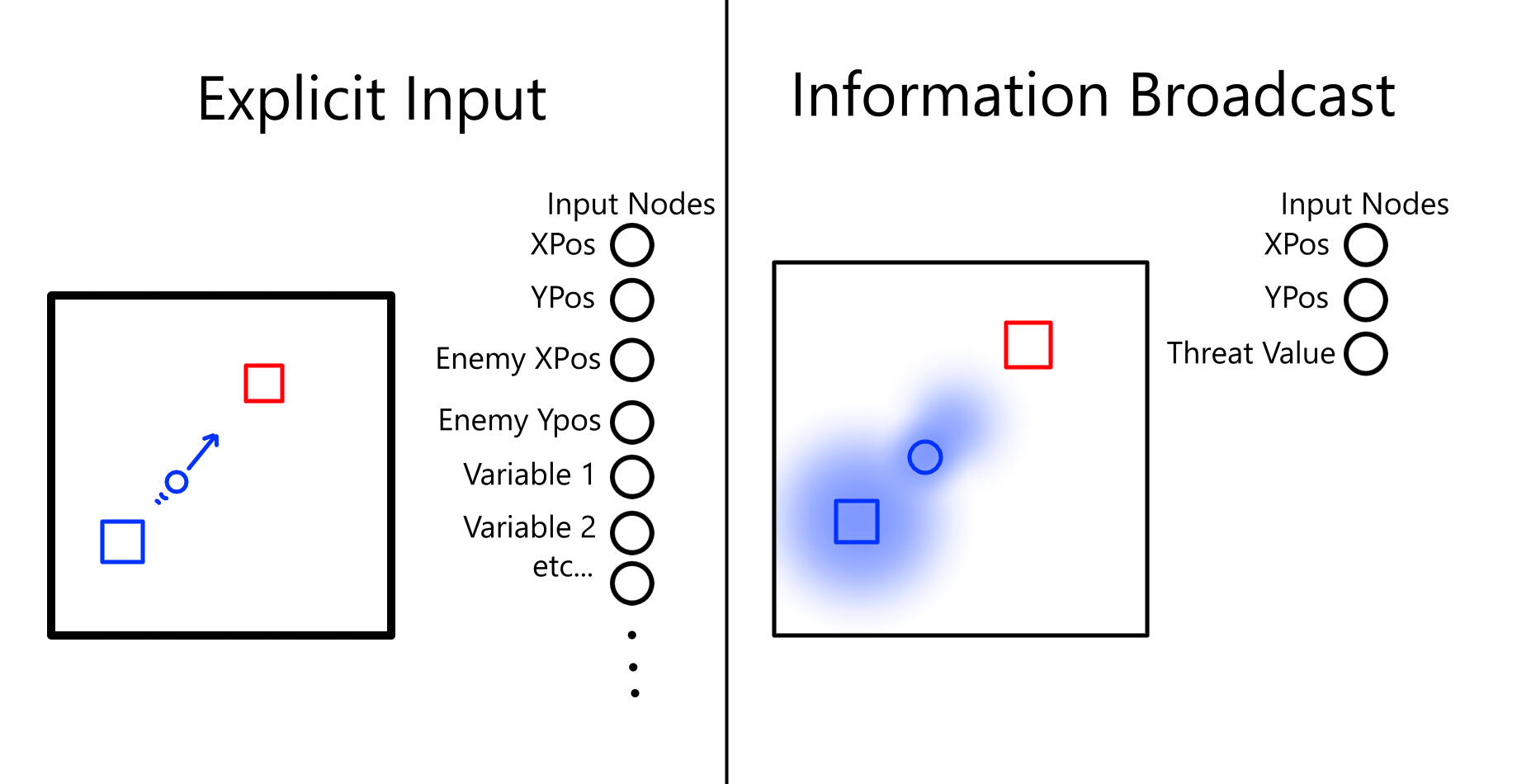
In real life, we receive information from our environment via a type of electromagnetic radiation. In this way, we can think of everything in the environment as having a kind of aura, that we can only read at our current location.We can do something similar in Unreal Engine using Render Textures. By having each element in the environment asynchronously render a texture to a plane, we can build up an "information map" that can be read by our agent. This way, our agent only needs inputs for "sensors" that are positioned around the agent that can read the texture at their location, akin to eyes in real life.
Real-Time Textures
We need to use a render target and assign it to a texture in order to build our information map. Doing this every frame is costly, so we can tie it to the tick rate of our trainer object and have it update roughly once per second.
Then we need another texture to render to the target that will serve as our information "broadcast." I decided that the shape of this texture should be transformable, so that it can have an elongated cone extension to allow agents to "see" the broadcast from further away when it is traveling towards them.
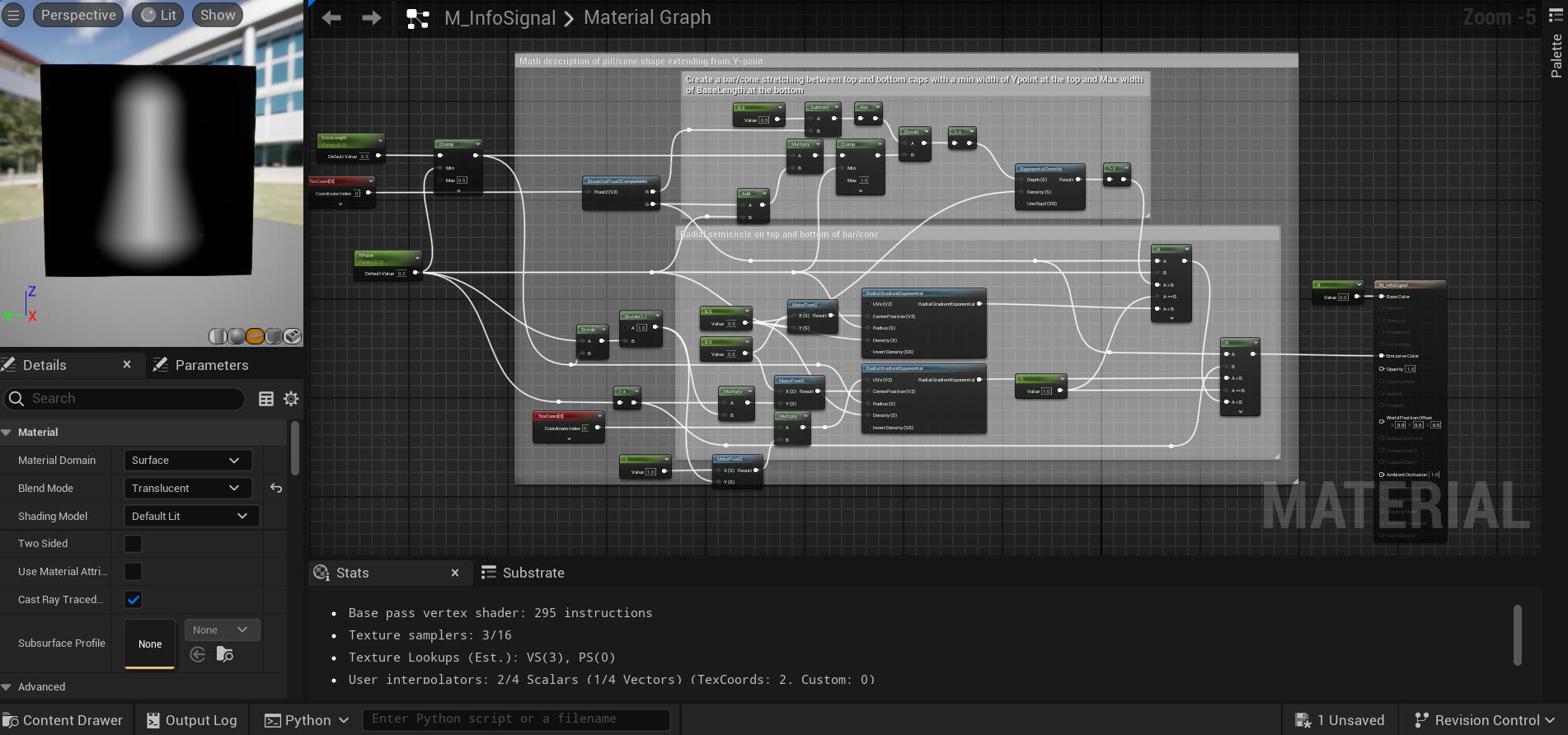
After a lot of experimentation, I was able to create a shader that makes a circle at rest, but transforms into a bell shape at higher values.
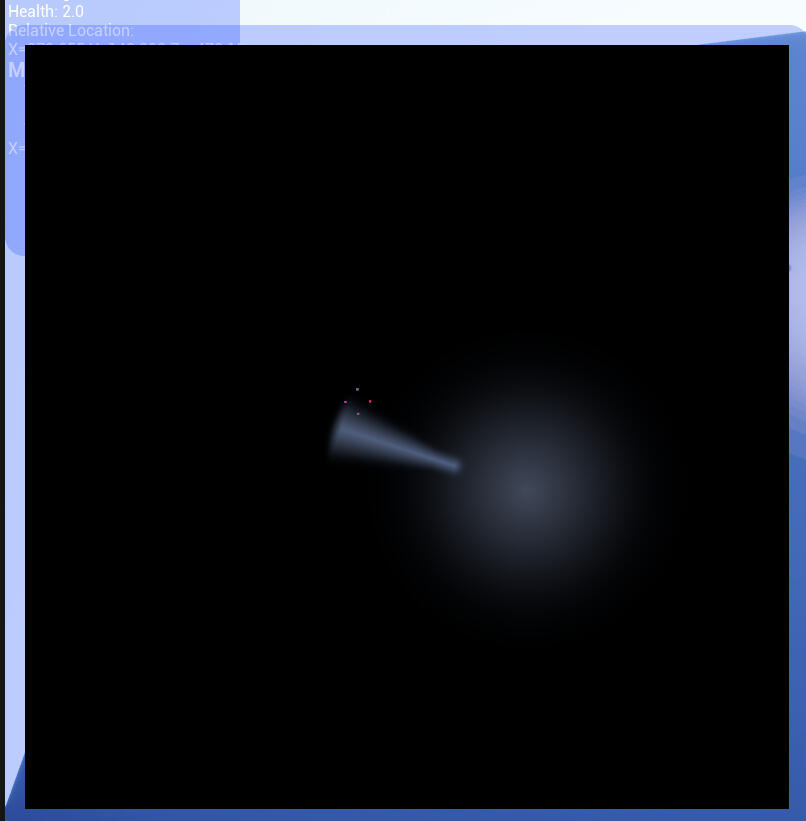
I created a debug interface that prints the rendered texture being checked by the sensor back to an image to check what each agent can see. Here the agent is reading a texture with a circular aura coming from the blue agent, and an elongated cone coming from the projectile currently being fired. In theory, the model should learn to not stand on areas that have a value as these can be considered dangerous.
We now need to be able to read textures. Since textures live on the GPU and are directly rendered to the screen, it is normally a costly operation to extract the data from the GPU in order to read it into CPU-bound objects, i.e. our sensors and AI trainer. However, Unreal Engine supplies a class to do this asynchronously; FRHIGPUTextureReadback.The readback object has a ready state, which is set to true if it has finished reading and is ready to go. Before we enqueue a read, the readback object also has a data buffer that contains the data from its last read. We only need to call the lock() function on the readback object, gives us a pointer to the data buffer. we can then copy it to an array, making sure it is read in the correct format. We can then unlock() the readback object and enqueue another read.
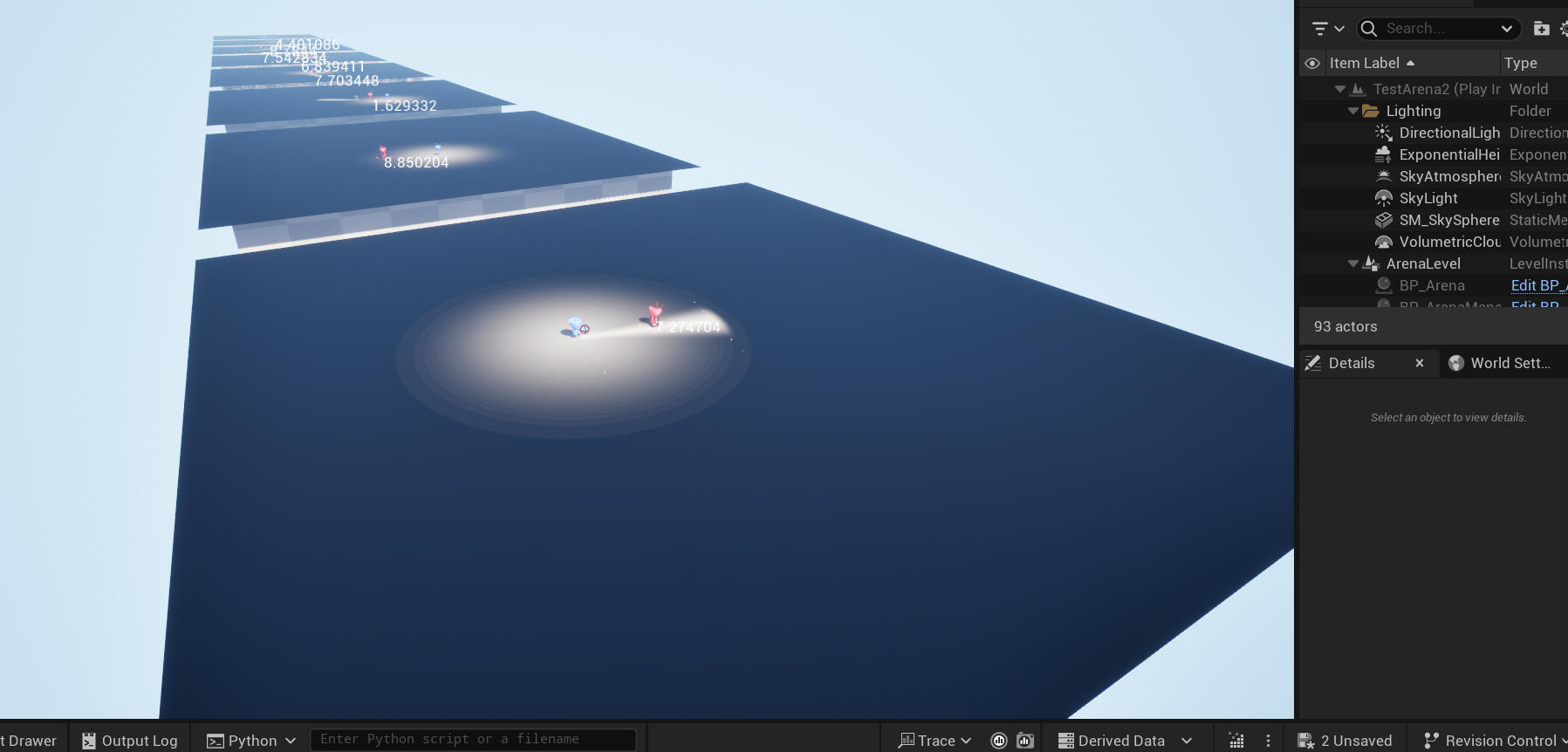
This is the current progress on the project. The immediate goal is to work on debugging the reading process, and to test whether the AI can work out where to run to. At the moment it only has a single number to work with, so it doesn't know where there is safe space, only that it is currently standing on unsafe space. I may have to introduce more information into the texture to give location or vector information, and possibly introduce multiple layers to be able to include more numbers.